A cracked mobile phone screen before the school run, a laptop that will not charge before a deadline, or a console with no picture on the TV can put you under pressure fast. When weighing up refurbished device vs repair, the cheapest-looking option is not always the best value. The right choice depends on what has failed, the condition of the rest of your device and how long you need it to keep working.
For many people across Barrow-in-Furness, Cumbria and the Lake District, a professional repair gets a familiar device back in service quickly while keeping photos, apps and settings where they belong. In other cases, especially where there is extensive damage or an ageing device with several faults, a quality refurbished replacement makes more sense. Here is how to decide with confidence.
What is the difference between repair and refurbished?
A repair means fixing the fault in the device you already own. That could be a replacement iPhone or Samsung screen, a fresh battery, a charging port repair, laptop keyboard replacement, HDMI port repair on a PlayStation or Xbox, or more detailed logic board work after liquid damage.
A refurbished device is a pre-owned device that has been inspected, cleaned and restored for resale. The standard of refurbishment varies widely. Some devices have been fully tested, fitted with replacement parts where required and sold with a warranty. Others may simply be used devices that have been wiped and cosmetically cleaned.
That difference matters. A well-refurbished device from a reputable seller can be a sensible purchase. A poorly described bargain with an unknown battery condition, non-genuine parts or no meaningful warranty can soon become another repair job.
Refurbished device vs repair: start with the actual fault
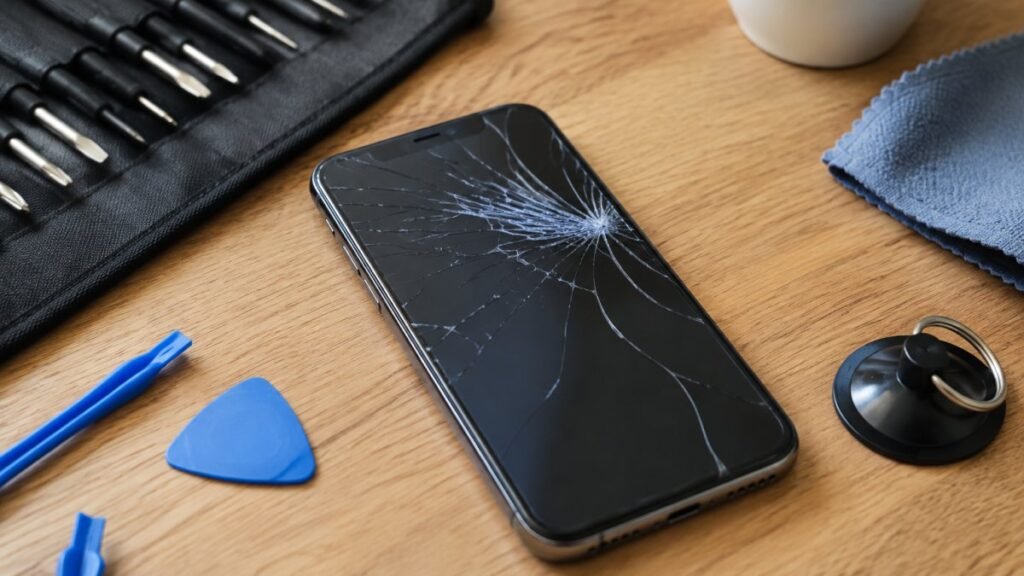
One clear fault on an otherwise healthy device usually points towards repair. If your iPhone has a cracked display but still charges properly, holds a reasonable charge and has no signs of bending or water damage, replacing the screen is commonly far more economical than buying another handset.
The same applies to many laptops. A worn-out battery, broken DC charging socket, faulty keyboard or damaged screen does not automatically mean the whole machine is finished. If the processor, storage, hinges and mainboard are sound, a targeted repair can add years of useful life.
A replacement becomes more attractive when faults are stacking up. For example, a mobile phone with a smashed screen, failing battery, damaged rear housing and unreliable charging port may need several parts and significant labour. An older laptop that is slow, has a failing battery, cracked casing and cannot support the software you need may not justify a large repair bill either.
The key is diagnosis, not guesswork. A proper assessment identifies whether the visible problem is the only problem. A device that will not charge could need a straightforward port clean or replacement, but it could also have a battery, power-management or board-level fault. The recommended route should reflect the full condition of the device, not just the symptom you can see.
Compare the total cost, not only the upfront price
Repair is often the lower-cost option because you are paying to resolve one fault rather than replacing a complete device. It can be particularly good value on newer Apple, Samsung and premium laptop models, where buying an equivalent refurbished model still carries a substantial cost.
However, price alone can be misleading. When comparing a refurbished device against a repair, consider the age and specification of your current device. Spending money on a repair for a device that is already struggling with storage, performance or software support can be false economy. Putting that money towards a newer refurbished model may give you better battery life, more storage and a longer useful lifespan.
Ask for a clear repair quote and compare it with a refurbished device of similar, not merely lower, specification. Check what is included in the refurbished price: charger, battery health, warranty length, condition grade and return arrangements. A low headline price can rise quickly if you need accessories or discover the battery is near the end of its life.
For businesses and schools, total cost also includes downtime. A fast repair that returns a staff mobile phone, classroom iPad or work laptop the same day may be worth more than waiting for a replacement to arrive, set it up and reconnect it to company systems.
Your data can make repair the safer choice
Your device is not just hardware. It may hold family photos, banking apps, saved passwords, work documents, school files and authentication apps that you rely on every day. Repairing your existing device means your information usually stays in place, provided the storage system has not been damaged.
With a refurbished replacement, you need to transfer your data, sign back into accounts and set up security apps again. If your old device will not switch on or has suffered liquid damage, that process may be difficult without a recent backup. This is one reason to act quickly after water exposure: switch the device off, avoid charging it and get it assessed rather than repeatedly trying to turn it on.
Whichever option you choose, data security should be part of the conversation. A trustworthy repair provider handles devices carefully and explains if testing requires access to the handset or computer. Before handing over a working device, back it up where possible and remove sensitive information only if you have been advised to do so without affecting diagnosis.
Reliability depends on quality, not simply age
A repaired device is not automatically less reliable than a refurbished one. If a single failed component is replaced correctly and the device is tested afterwards, it can perform exactly as it should. A new battery can transform an iPhone that needs charging twice a day. A properly repaired HDMI port can save a games console that is otherwise in excellent condition.
Equally, refurbished devices are not automatically risk-free. Their reliability depends on the checks carried out before sale, the quality of fitted parts and the honesty of the condition description. Look for a proper warranty and clear information about the device’s cosmetic grade, battery condition, network status and any replacement components.
Parts quality matters for repairs too. Very cheap screens or batteries can compromise display brightness, touch response, battery performance or durability. Good repair work is about more than making the device switch on again. It should restore dependable everyday use, with appropriate parts and checks for functions such as cameras, Face ID or fingerprint sensors, speakers, charging and connectivity.
When repair is usually the right call
Repair is often the sensible route when the device is relatively modern, the damage is limited and it still meets your needs. It is also a strong option when you need your own data, settings and accessories to remain unchanged.
Common examples include a cracked but fully working smartphone screen, a tablet battery that drains too quickly, a MacBook with a charging issue, a desktop with a failed power supply, or a gaming console with a damaged HDMI port. These are specific problems that can often be resolved without replacing a device that is otherwise doing its job.
Repair also reduces electronic waste. Extending the life of a mobile phone, tablet or computer keeps useful technology in service and avoids replacing it before necessary. It is a practical saving for your wallet and a better outcome for the environment.
When a refurbished replacement makes more sense
Choose a refurbished device when your current one has multiple expensive faults, no longer receives the software support you need, or cannot keep up with work, study or gaming demands. If repair costs are approaching a large share of the price of a better, warranty-backed replacement, it is reasonable to put the money towards an upgrade.
This can be especially relevant for very old phones with poor battery health and limited storage, laptops that cannot run current software reliably, or devices with severe liquid damage affecting several components. A refurbished model can give you a clean start at a more manageable price than buying brand new.
Before buying, make sure it is compatible with your network, workplace software and accessories. Confirm its storage capacity and battery condition, rather than assuming every model of the same name offers the same experience.
Get an honest assessment before replacing it
The best decision is rarely about choosing repair every time or replacing every time. It is about knowing what has failed, what the repair will achieve and what the device is worth to you after the work is complete.
At TechLab Repairs, the aim is to give you a straightforward answer, whether that means a quick screen or battery repair, deeper fault diagnosis, or advice that a refurbished replacement would be better value. Do not let a broken device slow you down – get the fault checked, weigh the full cost and choose the option that keeps you connected with the least disruption.