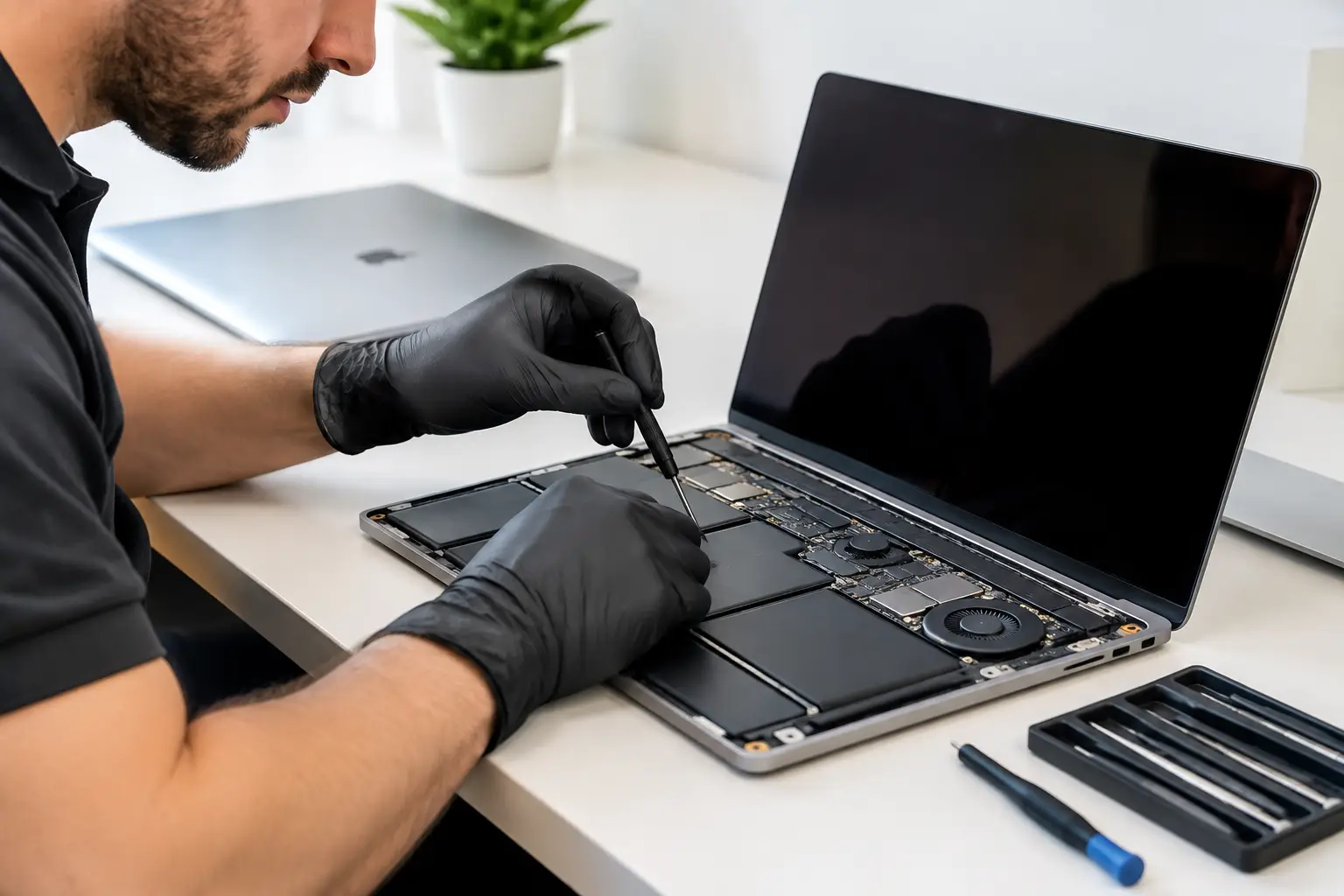
A MacBook rarely breaks at a convenient time. It is usually the night before coursework is due, halfway through a work project, or just when the family needs access to important photos and documents. A dependable MacBook repair service should do more than replace a part – it should identify the real fault, explain the options clearly and help you get back to normal without unnecessary cost or delay.
For customers across Barrow-in-Furness, Furness, Cumbria and the Lake District, local repair makes a real difference. Instead of posting your laptop away and waiting for an update, you can speak to a technician, understand what is happening and make an informed decision about repair or replacement.
When your MacBook needs professional attention
Some MacBook faults are obvious. A cracked display, a swollen battery or a keyboard that has stopped responding gives you a clear reason to seek help. Other problems are less straightforward. The laptop may run slowly, refuse to charge, switch off without warning or show a blank screen despite appearing to power on.
These symptoms can have several causes. A charging issue might be the charger, the USB-C ports, the battery, the charging circuit or a fault on the logic board. Replacing the first part that looks suspicious can waste money and leave the original problem unresolved. Proper diagnosis comes first.
A professional repair is especially worthwhile when the MacBook still suits your needs in every other respect. A battery replacement, display repair or charging fault repair can give a capable machine several more years of useful life. That is often a better outcome than replacing a laptop simply because one component has failed.
MacBook repair service for common faults
MacBooks are compact machines, which is one reason they are popular for work, university and travel. It also means components are tightly integrated. The right repair depends on the model, its age, the fault and whether replacement parts are available.
Screen damage and display faults
A damaged screen does not always mean the same thing. A visible crack is clear enough, but flickering, lines, a dim image or a completely black display can point to panel damage, a display cable problem or an internal board fault. If an external monitor works while the built-in display does not, that can provide a useful clue, but it is not a final diagnosis.
Display repairs need careful handling. Modern MacBook screens are thin assemblies, and a poor-quality fit or incorrect part can affect brightness, colour, camera function or the way the lid closes. A technician should confirm the fault and explain the repair route before work begins.
Battery problems and power issues
MacBook batteries naturally lose capacity over time. If your laptop needs charging far more often than it used to, becomes unusually warm, shuts down at a high percentage or shows a service warning, the battery may be reaching the end of its useful life.
Battery replacement is not only about improving runtime. A degraded or swollen battery can put pressure on internal components and, in severe cases, affect the trackpad or case. Do not continue using a MacBook with a lifting trackpad, distorted bottom case or obvious swelling. Turn it off and arrange an inspection.
Power faults need a little more investigation. A MacBook that will not switch on may have a battery issue, but it may also have liquid damage, a failed port, a damaged charger, a power-management fault or a logic board problem. Clear testing prevents guesswork.
Keyboard, trackpad and port repairs
Sticky keys, repeated characters and unresponsive sections of the keyboard can make even a working MacBook frustrating to use. Trackpad problems may be caused by wear, liquid exposure or battery swelling. USB-C, Thunderbolt and charging ports can also become damaged through everyday use, particularly where a cable has been pulled or knocked.
These repairs are worth assessing early. Continuing to force a loose connector or use a failing keyboard can make the issue worse. In some cases, a targeted repair is possible; in others, the design of the model means a larger assembly must be replaced. It depends on what has failed and how the MacBook is built.
Liquid damage and logic board faults
Spills are one of the most time-sensitive MacBook problems. Tea, coffee, water and soft drinks can leave residue that causes corrosion, even if the laptop appears to work after the accident. Switching it on repeatedly or charging it can turn a recoverable issue into a more serious one.
If liquid reaches your MacBook, disconnect power, switch it off if possible and avoid trying to dry it with heat. Do not rely on rice – it does not remove residue from the board or connectors. A prompt professional assessment gives the best chance of limiting damage and protecting your data.
Logic board repairs are more specialised. They can be a sensible option when the fault is limited to a repairable component or circuit, particularly on a MacBook with a good screen, battery and overall condition. However, the repair may not be economical if there is widespread corrosion, extensive board damage or several major faults. Honest advice matters here.
Protecting your files during a repair
For most people, the files on a MacBook matter more than the machine itself. Coursework, business records, family photos, design files and saved passwords all deserve careful treatment. Before any repair, back up your MacBook if it is safe and possible to do so.
If the laptop will not start, do not assume the data is lost. Depending on the model and the fault, recovery may still be possible. Newer MacBooks can make data recovery more complicated because storage is integrated and protected by encryption, so no responsible repairer should promise recovery without assessment.
A trusted local repair service should handle devices with care and respect for privacy. You may be asked to provide a login password only where testing requires it. Remove sensitive information when you can, keep your recovery details private and ask how your device will be stored while it is being repaired.
Repair or replace? Make the practical choice
The best answer is not always to repair. If your MacBook is very old, has multiple expensive faults and no longer supports the software you need, replacement may offer better value. The same can be true where liquid damage is extensive or a major logic board repair is uncertain.
But replacing a laptop is not automatically the cheaper or greener choice. If the device needs one straightforward repair and still performs well for your work, study or home use, repairing it can save a significant amount of money and reduce unnecessary electronic waste.
Think about how you use it. A student writing assignments may be well served by a repaired older MacBook, while a video editor or business running demanding software may need the performance and support life of a newer model. A good technician will discuss the condition of the device rather than pushing a repair that does not make sense.
What to expect from a local repair shop
You should not be left guessing about cost, timing or the work being carried out. A reassuring repair process starts with an assessment, followed by a clear explanation of the fault, available options and likely price. If further damage becomes apparent after opening the MacBook, you should be contacted before additional work goes ahead.
Ask whether the repair includes a workmanship guarantee, what type of replacement part will be used and whether your specific MacBook model has any limitations. There can be trade-offs between part availability, repair cost and turnaround time, especially for older or less common models.
At TechLab Repairs, the focus is on practical diagnosis, reliable workmanship and secure handling for MacBook owners who need their laptop back in service. Whether the issue is a tired battery, broken screen, charging problem or a fault that needs deeper investigation, you deserve a straight answer before spending money.
Do not let a faulty MacBook become another job left unfinished. Getting it checked early can protect your files, prevent further damage and help you decide with confidence whether repair is the right next step.