A device that will not charge, keeps restarting, has no display or has stopped responding after liquid damage can be worrying – especially when you have photos, schoolwork, business files or two-factor login details stored on it. Logic board repair costs are rarely a single fixed figure because the board is the device’s control centre, and the real fault must be found before anyone can quote fairly.
The good news is that a board-level fault does not automatically mean your phone, laptop or console is beyond repair. A proper diagnosis can often identify a targeted fault, protect your data and help you decide whether repairing the device is better value than replacing it.
What is a logic board repair?
A logic board, also called a motherboard in many laptops, desktops and games consoles, is the main circuit board inside your device. It connects and controls vital components such as the processor, storage, charging system, display, cameras, Wi-Fi, audio and power management.
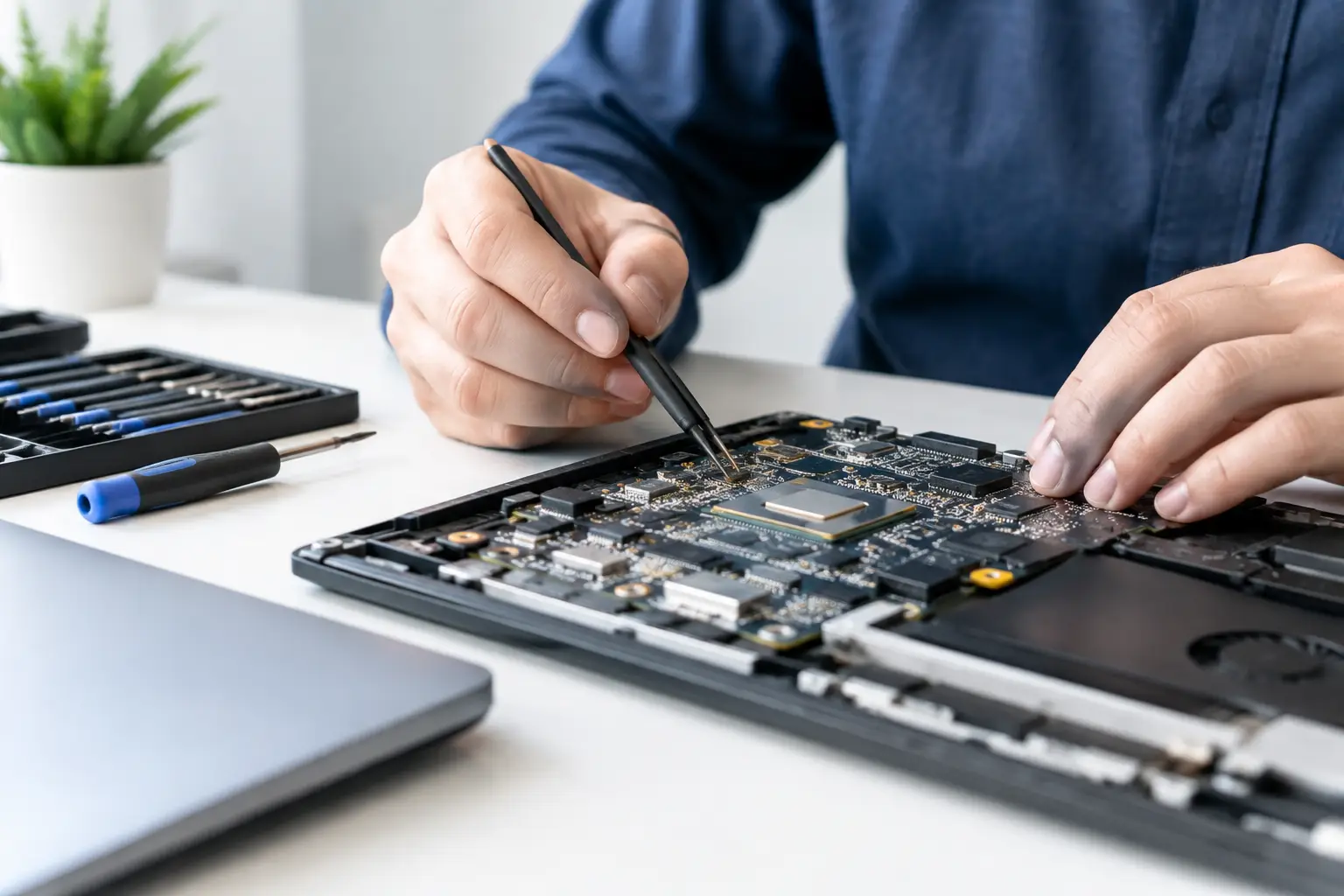
Unlike a screen or battery replacement, logic board work is not usually a matter of fitting one standard part. It may involve tracing a short circuit, testing power lines, replacing a damaged connector, repairing a charging circuit or working on tiny components under magnification. The exact repair depends on what has failed and why.
That is why a device may show the same symptom for several different reasons. An iPhone that will not turn on might have a worn battery, damaged charging port, faulty display, liquid corrosion or a board-level power issue. Replacing parts without testing first can waste time and money.
What affects logic board repair costs?
The largest factor is the nature of the fault. A damaged connector or isolated charging component may be relatively straightforward once identified. A fault involving multiple circuits, severe corrosion or physical damage to several areas of the board takes more diagnostic and repair time.
Device type matters too. Modern smartphones pack densely layered technology into a small space, while MacBooks, gaming consoles and desktop PCs have different board layouts, common faults and access requirements. Some models have components paired or programmed to the device, which can make work more involved.
The cause of the damage also changes the likely price. Liquid damage is a good example. A drink spill can leave visible corrosion near one connector, but moisture can travel further than expected and cause problems days or weeks later. The aim is not simply to make the device power on once. It is to assess the affected areas properly and carry out a repair that is dependable.
The availability of replacement components can influence the cost as well. Some chips, connectors and donor-board parts are readily available. Others are model-specific or difficult to source. For older devices, the question may become whether the investment makes sense compared with a replacement model.
Finally, data recovery needs can affect the route taken. If the main priority is retrieving irreplaceable photographs or business documents, a repair may be worthwhile even when buying another device would otherwise be the cheaper option. A new phone does not bring back the data on the old one.
Typical fault types and how they differ
Charging faults are among the most common reasons customers suspect a logic board issue. Sometimes the charging port, cable or battery is at fault. In other cases, a charging-management circuit on the board has failed, particularly after a power surge, poor-quality accessory use or liquid exposure.
No-power faults can be more complex. Technicians need to check whether the device is drawing power, whether key voltage lines are present and whether another component is preventing the board from starting. The repair cost depends on how long it takes to isolate the problem and what needs replacing.
Display problems can also be deceptive. A black screen may be caused by a damaged display, but it can also result from backlight circuitry, display connectors or board-level damage. Testing with known-good parts and the right equipment stops a customer paying for a screen replacement that would not solve the issue.
Why a diagnosis should come before a price
A low headline price is appealing, but it is only useful if it relates to the fault your device actually has. Board repairs should begin with assessment, not guesswork. This is particularly important after liquid damage or a hard drop, where one visible fault may not be the only fault.
A good diagnosis considers the condition of the device as a whole: battery health, charging behaviour, signs of corrosion, previous repairs, damage to the housing and whether the device can still communicate with a computer. For laptops and desktops, it should also account for the charger, storage drive, memory and display before condemning the motherboard.
At TechLab Repairs, the goal is to explain the practical options in plain English. If the repair is sensible, you should know what work is proposed and why. If the cost would be hard to justify for the age or condition of the device, it is better to have that honest conversation before work goes ahead.
Repair, replacement or upgrade: making the right call
Logic board repair is often the right choice when the device is otherwise in good condition, still meets your needs and holds data that matters. A recent phone with a board-level charging issue, for example, may be far cheaper to repair than to replace with an equivalent new handset.
It can also be the sensible option for a MacBook, iMac or gaming console. These devices can be expensive to replace, and a specific board fault may be repairable without writing off the entire machine. For schools and businesses managing several devices, repair can help extend equipment life and reduce disruption for staff or pupils.
There are times when replacement makes more sense. If an older device has major liquid damage, a poor battery, cracked housing and a costly board fault, the repair may not offer good long-term value. Likewise, if you need more storage, better performance or newer software support, upgrading can be the better move.
The key is to compare like for like. Do not compare a repair quote only against the price of the cheapest replacement device. Consider the quality of the replacement, the time needed to set it up, the cost of accessories, and whether your data can be moved safely.
How to avoid unnecessary board damage
Not every logic board fault is preventable, but a few habits reduce the risk. Use good-quality charging cables and power adapters, keep devices away from drinks and damp bags, and avoid continuing to charge a phone that has been exposed to liquid. If a device gets wet, switch it off where possible and arrange assessment quickly. Rice is not a repair method and can delay the proper cleaning and inspection the device needs.
Drops can cause damage that is not immediately obvious, particularly if a charging cable was plugged in at the time. If the device starts overheating, losing charge unusually quickly, restarting or refusing to recognise accessories after a drop, stop forcing it to work and have it checked.
Regular backups matter just as much. A backup will not prevent a board fault, but it gives you choices. Whether you use cloud backup, an external drive or a managed business system, make sure it is current before there is a problem.
Questions worth asking before you approve a repair
Ask whether the quote covers diagnosis, parts and labour, and whether there are any circumstances that could change the price. It is also reasonable to ask about expected turnaround, data handling and what guarantee applies to the completed work.
For liquid-damaged devices, ask whether corrosion has been found and whether the repair is aimed at restoring everyday reliability or recovering data. Those are different goals, and clear expectations make for a better decision.
Do not let a no-power phone, a dead MacBook or a console with HDMI trouble slow you down for longer than necessary. A clear diagnosis gives you the information to choose confidently – whether that means a targeted repair, data recovery or a replacement that genuinely suits your needs.