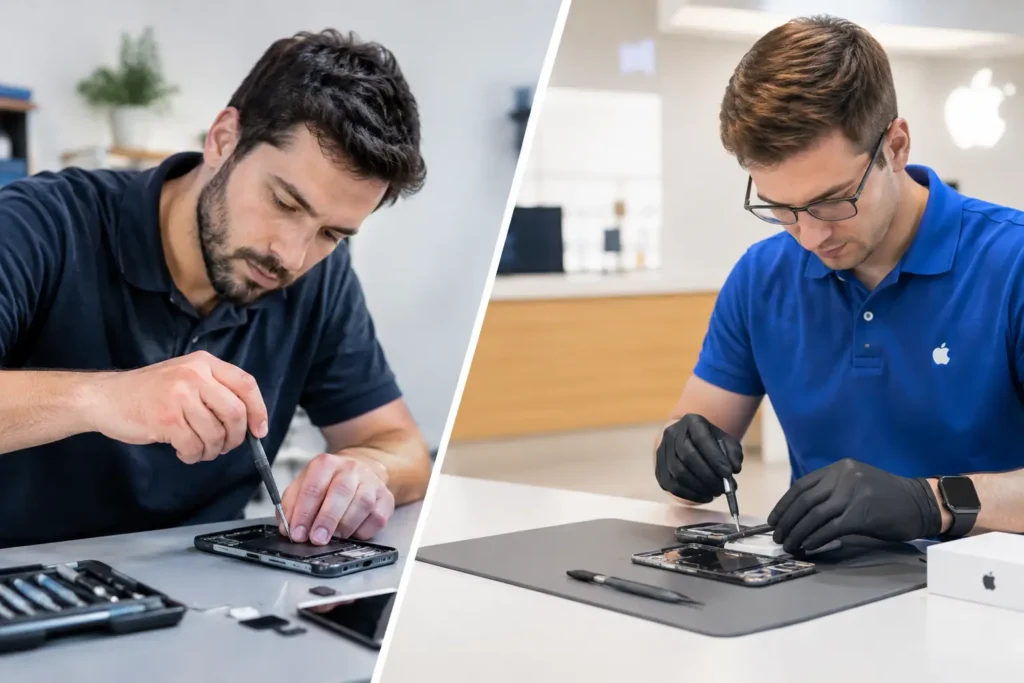
A laptop that will not charge before a client meeting, an iPad with a cracked screen in a classroom, or a work phone damaged on site can stop work immediately. When weighing business device support versus in-house IT, the right choice is not simply about who can fix a device. It is about how quickly your people can get back to doing their jobs, what downtime is costing you, and whether your business has the right level of cover for the technology it relies on.
For many businesses across Cumbria and the Lake District, a mix of internal support and a trusted local repair specialist is often the most sensible answer. The best route depends on your team size, the devices you use and how often problems need hands-on repair.
What In-House IT Does Well
In-house IT means employing a person or team to manage technology within the business. Their role can include setting up new starters, managing accounts and access, maintaining networks, handling software updates, supporting printers, and keeping an eye on cybersecurity. Where systems are complex or staff need daily help, having someone who knows the business inside out can be valuable.
An internal IT colleague also understands how people work. They may know which software the accounts team needs, how stock systems connect to tills, or which staff members need secure remote access. That familiarity can make routine issues easier to sort without having to explain the background every time.
For larger organisations with hundreds of users, multiple sites or highly regulated systems, an in-house team may be essential. They can develop policies, monitor infrastructure and take ownership of long-term technology planning. A repair shop is not a substitute for a full IT department in that situation.
The challenge is cost and coverage. Salaries, training, software licences, holiday cover and recruitment all add up. A single IT employee cannot be in two places at once, and their expertise may be strongest in networks or software rather than intricate hardware repairs. If a MacBook has liquid damage, a laptop needs a new charging port, or several school iPads need screen replacements, that work can quickly take them away from their core responsibilities.
Where Business Device Support Makes a Difference
Business device support focuses on the physical equipment your team uses every day. That includes phones, tablets, laptops, desktop PCs, Macs, consoles used in education or hospitality settings, and the smaller faults that can create major disruption.
A local specialist can diagnose hardware faults, replace damaged screens and batteries, repair power and charging issues, assess liquid damage, and deal with board-level faults where repair is viable. Rather than writing off a device at the first sign of trouble, businesses can make a practical decision based on its condition, age and replacement cost.
This is particularly useful for organisations with a mixed device estate. A small business might have Windows laptops, staff iPhones, a Samsung work handset, an iPad for taking payments and a MacBook used for design work. An in-house IT generalist may support the software across those devices, but specialist repair experience is needed when one develops a physical fault.
Fast local repair also avoids the inconvenience of sending equipment away to a manufacturer or national depot. Postage, approval processes and uncertain turnaround times can leave a member of staff without the tools they need for days or weeks. For a business, that is more than an inconvenience. It can mean missed appointments, delayed orders, frustrated customers and employees working around avoidable problems.
Business Device Support Versus In-House IT: Cost and Coverage
The cost comparison is not just an hourly rate against a salary. In-house IT provides ongoing availability and broad operational knowledge, while external device support is usually paid for when a repair, diagnosis or planned device refresh is needed.
If your team is small and problems are occasional, paying for a full-time IT role may not make financial sense. External repair support gives you access to practical expertise without carrying the cost of permanent staffing. It can also make budgets more predictable when paired with agreed business pricing or volume repair arrangements.
On the other hand, a business with frequent login issues, a complicated server setup, remote workers and strict compliance obligations needs regular IT management. Repair support alone will not maintain your network or manage your security policies.
The strongest approach is often to separate responsibilities clearly. Keep day-to-day systems, user access and network management with internal IT or a managed IT provider. Use a device repair specialist for hardware diagnosis, physical repairs and cost-effective refurbishment. This prevents skilled IT staff from spending hours sourcing parts or attempting repairs outside their main area of expertise.
Response Time Matters More Than Most Businesses Expect
A broken device is rarely planned. The impact can be immediate when a field worker loses access to their phone, a teacher cannot use their laptop, or a manager’s charging port fails during a busy week.
In-house teams can respond quickly if they are available and have spare devices ready. Yet availability is not guaranteed. They may be dealing with a software outage, visiting another site or working through a backlog of requests. Even when they identify that a device is faulty, they may still need an external repair partner to complete the job.
A local business repair service can reduce that extra delay by providing diagnosis and practical repair in one place. The aim should be clear communication from the start: what is wrong, whether the device is worth repairing, what the likely turnaround will be and what the work will cost. No one wants a vague update while a vital device sits unusable.
It is also worth considering whether your business has sensible contingencies. A small pool of spare laptops or handsets can keep staff productive while a repair is underway. This is especially useful for schools, care providers, trades and customer-facing teams where a missing device can disrupt the whole day.
Data Security Cannot Be an Afterthought
A cracked screen may look like a simple repair, but the device could hold customer details, business emails, passwords, photos, financial information or sensitive school records. Whether you choose internal support, external repair or both, there must be a clear process for secure handling.
In-house IT has direct control over access policies, encryption and device management. That is a real advantage, provided those systems are properly maintained. Before sending a device for repair, internal staff can back it up where possible, remove it from management systems if necessary and record its condition.
Your repair partner should also treat data protection seriously. Ask how devices are stored, who has access to them and whether a repair can be completed without unnecessary access to personal or business information. A professional repair should focus on the fault, not on the contents of the device.
Where a device will not power on or has suffered liquid damage, recovery can be more complicated. This is another reason to act quickly. Continued charging or repeated attempts to switch on a damaged device can sometimes make matters worse. Get a diagnosis before assuming the data, or the device, is beyond saving.
Questions to Ask Before You Decide
Start by looking at the last 12 months. How many device failures did you have? What did downtime cost in lost hours, replacement purchases or delayed work? Were the faults mainly software and access issues, or were they physical problems such as damaged screens, worn batteries and charging faults?
Then consider the devices themselves. Businesses that issue phones and tablets to mobile staff may benefit greatly from quick local repair cover. Schools with shared iPads and laptops need a reliable route for multiple repairs without replacing equipment unnecessarily. Offices with ageing laptops may need honest advice on when repair remains good value and when replacement is the better decision.
Finally, think about capacity. If your internal IT person is regularly fixing broken hardware, they may be unable to focus on security, backups, software performance and future planning. Outsourcing device repairs can give them back valuable time while giving staff a faster path to a working device.
For businesses that need local, practical help with damaged phones, tablets, laptops and Macs, TechLab Repairs can provide repair support designed to keep disruption to a minimum. The most useful arrangement is the one that gives your staff a clear place to turn when technology lets them down.
Before the next cracked screen or charging fault becomes a lost working day, agree who handles what, keep a few spare devices where possible, and choose repair support you can contact with confidence.