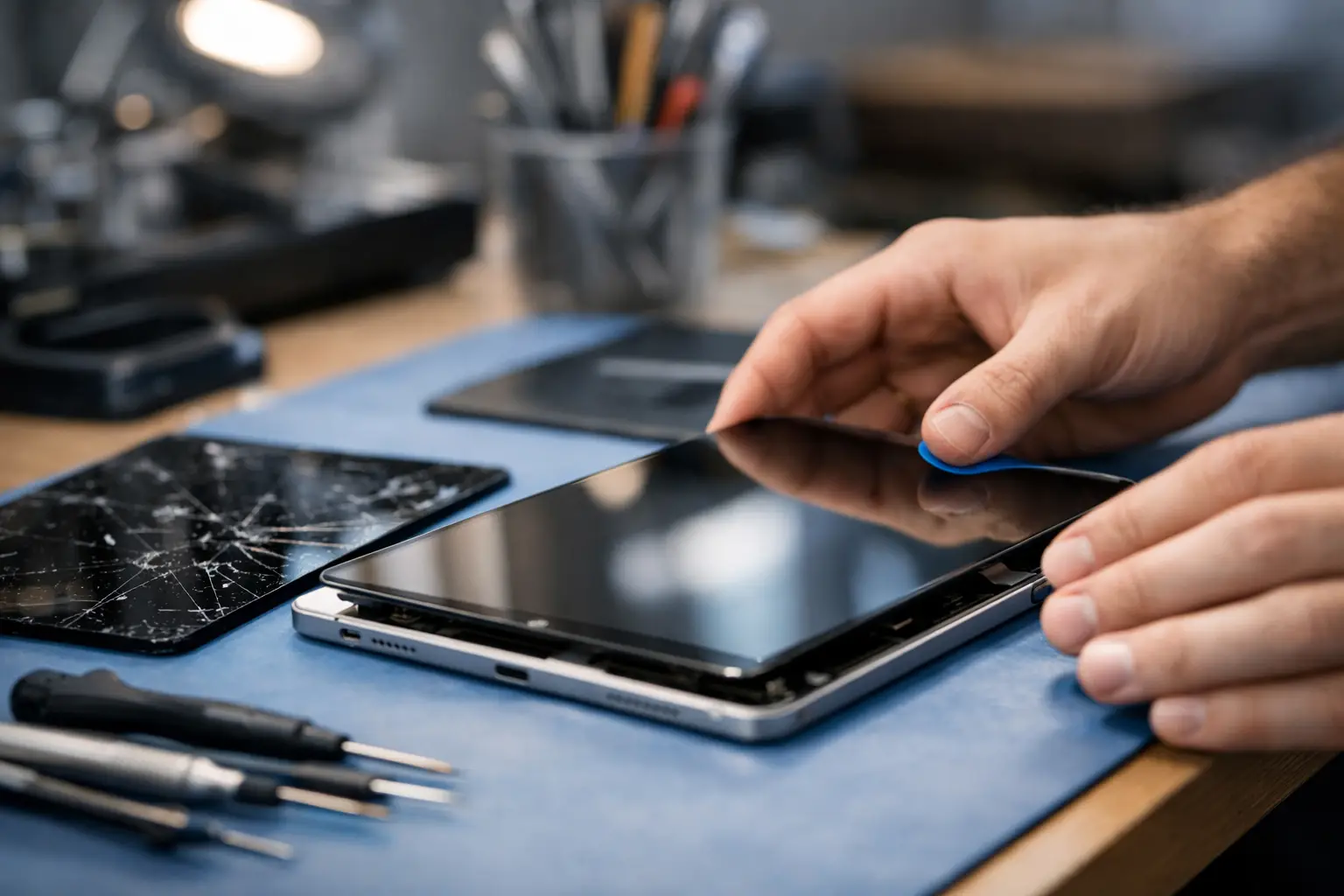
A cracked iPad screen can make schoolwork, streaming, video calls and day-to-day admin needlessly frustrating. An affordable iPad screen replacement should put that right without leaving you with poor touch response, a dim display or a bill that makes replacing the whole tablet seem tempting. The key is looking beyond the first price you see and choosing a repair that suits the model, the damage and how you use your iPad.
Affordable iPad Screen Replacement Is Not Just About Price
The cheapest quoted repair is not always the most affordable in the long run. A low upfront price can be appealing, especially when the glass is shattered, but it may reflect a lower-grade part, incomplete testing or no meaningful workmanship cover. If the new screen develops touch issues a few weeks later, the original saving disappears quickly.
A good repair quote should be clear about what is being replaced and what is included. That means the screen or glass assembly, fitting, adhesive, testing and a check for related faults. On a badly dropped iPad, damage can extend beyond the visible crack. A bent frame, weakened battery connection or damaged charging port may only become obvious once the device is opened and inspected.
Affordable should mean fair pricing, dependable parts and no surprises. It does not have to mean settling for a repair that feels noticeably worse than the screen you had before.
First, Find Out What Your iPad Actually Needs
Not every damaged iPad needs the same repair. On many older and standard iPad models, the front glass digitiser and the LCD display are separate parts. If the glass is cracked but the picture is clear and touch still works across the entire screen, replacing the digitiser may be enough.
On other models, particularly many iPad Air, iPad mini and iPad Pro generations, the glass and display are bonded together. A crack, black patch, flickering image or lines on the panel may require a complete display assembly. This is more involved and usually costs more, but it is the correct repair where the display itself has been damaged.
Signs that the display needs more than new glass
A repairer will normally assess the screen before quoting. Dark ink-like blotches, coloured lines, flashing, an image that is only visible at certain angles, or touch areas that no longer respond all point towards display damage. So does a screen that looks normal but starts pressing buttons by itself.
It is also worth checking the frame. If the aluminium edge is heavily dented or bowed, a replacement screen may not sit properly until the frame has been carefully straightened. Ignoring this can leave gaps around the edge and make the iPad more vulnerable to future damage.
The Part Fitted Matters as Much as the Repair
There are different grades of replacement iPad screens, and the right choice depends on the model and your expectations. A quality compatible part can offer excellent value for many standard iPads. For newer, high-specification models, display quality becomes more noticeable. Brightness, colour accuracy, viewing angles and smooth touch response can vary significantly between parts.
A professional repair should preserve the features your iPad relies on wherever possible. This includes responsive touch input, the front camera, sensors, speakers and buttons. If your model has a Home button with Touch ID, it needs particular care. The original button is tied to the device, so replacing it with a different button can mean losing fingerprint functionality. A careful technician will explain this before any work begins rather than treating it as an afterthought.
There is a trade-off to consider. Choosing the lowest-cost screen can be sensible for an older iPad used mainly for children’s games, recipes or browsing. If you use an iPad for design work, study, client presentations or streaming, a better-quality display is usually the wiser investment. You look at that screen for hours at a time, so poor colour or inconsistent touch sensitivity soon becomes irritating.
What Should an iPad Screen Repair Quote Include?
A trustworthy quote is based on the exact iPad model, not simply the screen size. Two devices that look similar can use completely different assemblies, and model identification avoids ordering the wrong part or setting unrealistic expectations. You can usually find the model number in Settings if the screen still works, or on the rear casing of many older iPads.
Ask whether the quote covers the full job, including fitting and testing, and whether there is a warranty on the repair. It is reasonable to ask about part quality too. You do not need a technical lecture, but you should know whether the quote is for a compatible screen or a higher-grade replacement option.
Be cautious of a price given without anyone asking which iPad you own or checking the damage. A proper assessment protects both you and the repairer. It makes it much less likely that a cracked digitiser turns into an unexpected display replacement halfway through the job.
Keep Your Data Safe Before the Repair
A screen repair should not involve wiping your iPad. Your photos, apps, messages and documents are stored separately from the screen assembly. Even so, backing up is sensible before any device repair, particularly if the iPad contains work files, school materials or family photos.
If the screen is still usable, make a current backup and ensure you know your passcode and Apple Account details. Do not share passwords unnecessarily. A reputable local repair service will handle your device carefully, explain what access is needed for testing and treat your data as private.
If the display is too damaged to use, do not keep trying to force it on or repeatedly charge it if there has been liquid exposure. Tell the technician about any spill, overheating, battery swelling or previous repair. Those details can change the safest repair route and prevent a screen fault from masking a more serious issue.
When Repair Makes Better Sense Than Replacement
For many people, repairing an iPad is the practical choice. It avoids the cost of buying a new tablet, reduces disruption and keeps a familiar device in use. This is especially true if the battery remains healthy, the iPad receives the software you need and the only real problem is the screen.
Replacement may be worth considering if the iPad has several faults at once – for example, a damaged display, failing battery, charging problem and bent housing. The decision also depends on age. An older model can still be excellent for home use, but if it cannot run the apps required for work or school, putting a large sum into it may not be the best value.
A straightforward conversation about condition, intended use and repair cost is more useful than a blanket answer. The goal is not to sell a repair at any price. It is to get you back to a reliable device without wasting money.
A Local Repair Can Save More Than Postage
Sending an iPad away can mean days or weeks without it, plus packing it safely and trusting it to a courier. A local specialist gives you the chance to discuss the fault in person, get a clearer timescale and collect the device once it has been tested.
For families, schools and businesses around Barrow-in-Furness, that convenience matters. A damaged tablet is rarely just a damaged tablet – it may be a child’s learning device, a staff member’s portable workstation or the iPad used to take bookings and payments. TechLab Repairs can assess the damage, explain the viable options and focus on a repair that gets the device back into useful service.
A cracked screen does not have to mean a costly new iPad or months of putting up with sharp glass and unreliable touch. Choose a repair based on the correct diagnosis, a suitable quality part and clear workmanship standards, and your iPad can be ready for the jobs that matter again.