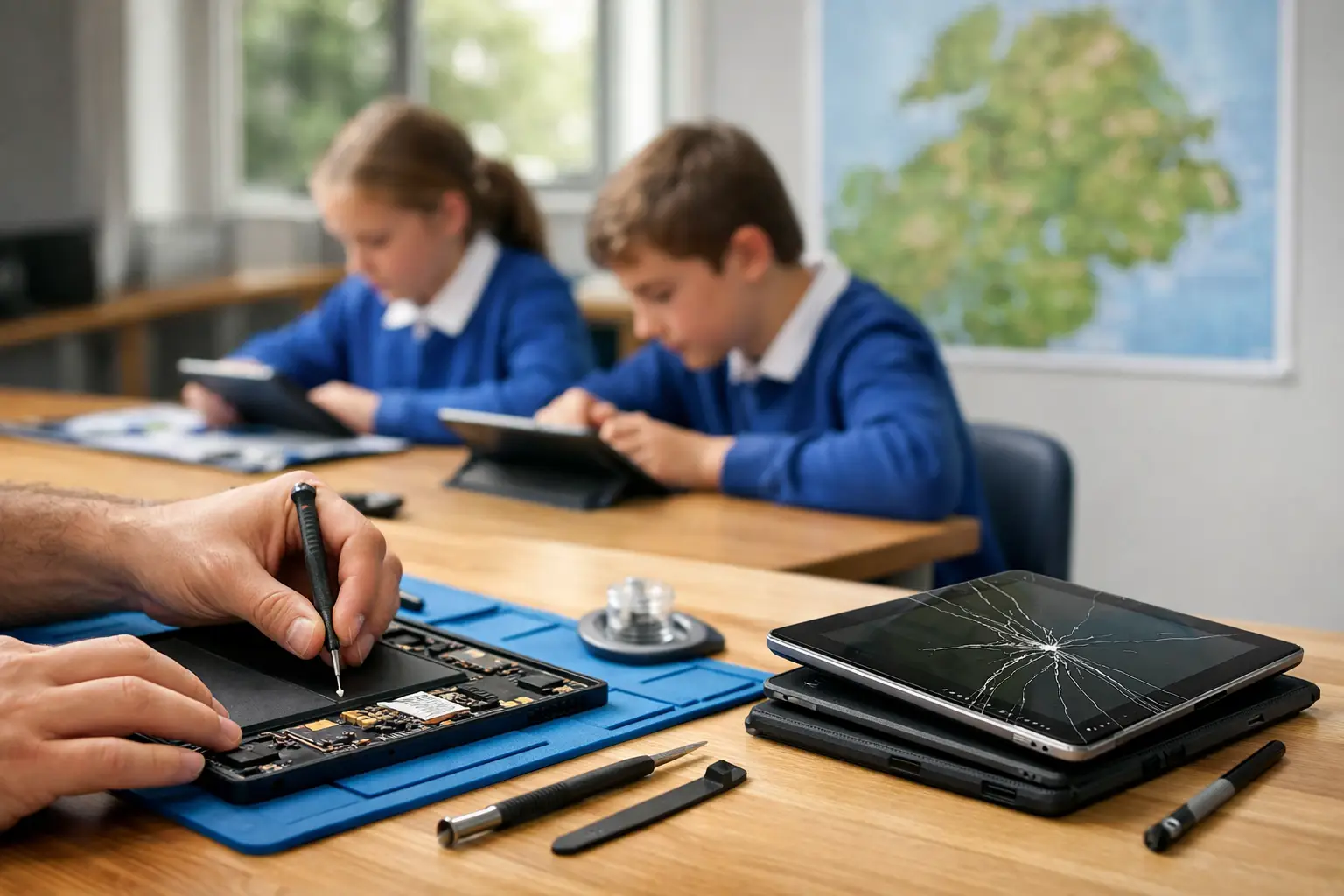
A damaged tablet can disrupt far more than one lesson. When several devices are out of action, teachers lose planned activities, pupils share equipment, and the school IT team is left trying to keep learning on track with a smaller pool of devices. This school tablet repair case study follows the practical approach that helps a Cumbria school get a batch of pupil tablets back into use quickly, safely and without replacing devices that still have plenty of life left.
The school had built tablets into everyday classroom work. They were used for reading apps, research, photographs, accessibility tools and homework platforms. That made the usual faults – cracked screens, batteries that would not last a morning, charging issues and accidental liquid damage – an operational problem rather than a minor inconvenience.
The issue: a growing pile of unusable tablets
At the start of term, the school had 28 tablets awaiting attention. Some had obvious damage after drops in the classroom or playground. Others looked fine but would only charge at a certain angle, shut down unexpectedly or refused to switch on at all.
The temptation in this situation is to order replacements. It feels simple, especially when staff need devices back straight away. But replacement has its own delays: approval, ordering, setup, enrolment, cases, apps and moving the tablet into the school’s management system. For a device with a broken screen or worn battery, replacement can also be an unnecessarily expensive answer.
The first job was not to fit parts. It was to establish exactly what was wrong with each tablet and separate quick, worthwhile repairs from devices where replacement genuinely made more financial sense.
School tablet repair case study: the repair plan
Every tablet was logged against its asset information before work began. This gave the school a clear record of the device condition, reported fault and repair decision. For organisations managing dozens or hundreds of devices, that paper trail matters. It helps IT staff track stock, plan budgets and spot recurring damage patterns.
The devices were then assessed individually. A tablet with a spiderwebbed display may need only a screen replacement, while a tablet that will not charge could have lint in the charging port, a worn battery, a damaged port or a fault on the internal board. Treating every non-charging device as a port repair would be costly and could leave the real fault unresolved.
Sorting faults by urgency and value
The batch was prioritised around classroom impact. Tablets needed for pupils with additional learning needs, year groups sitting assessments, and devices used by teaching staff were moved to the front of the queue. This meant the school did not have to wait for all 28 repairs before seeing an improvement.
The diagnosis identified 11 screen repairs, seven battery replacements, five charging faults, three liquid-damaged tablets and two units with more serious internal issues. The charging faults were not all the same. Two required port replacements, while three needed careful cleaning and testing after debris had prevented a proper connection.
That distinction saved money and reduced turnaround time. A good repair process is not about replacing the most parts. It is about repairing the fault that is actually there.
Making the repair-or-replace call
For the two tablets with serious internal faults, the cost of board-level work was weighed against the devices’ age, specification and expected remaining life. One was approved for repair because it was a newer model with a strong screen and battery. The other was designated for replacement because the repair cost would have taken too large a share of a new device budget.
This is where schools benefit from straightforward advice. There is no value in spending heavily on a tablet that is likely to develop another age-related fault soon afterwards. Equally, writing off a relatively recent device because of a broken screen creates avoidable waste and pressure on the budget.
Secure handling matters as much as the repair
School devices may contain pupil work, staff accounts, photos, saved documents and access to learning platforms. Even where tablets are centrally managed, they should be treated as sensitive equipment.
Before repair, the school confirmed its preferred handling process and ensured devices were properly logged. Technicians worked only on the hardware fault and did not access content unless a functional test required it. Where possible, the school IT administrator removed or managed credentials through its existing device management process.
After repair, each tablet was tested for the functions relevant to the work completed. A screen repair was checked for display quality, touch response, cameras and buttons. Battery replacements were tested for charging and stable power. Charging-port work included cable connection checks and confirmation that the device would charge reliably rather than only when positioned in a particular way.
This final testing is essential. A tablet can look perfect after a screen replacement but still have a damaged frame affecting how the display sits. It can power on after a battery replacement yet reveal a separate charging fault. Quality repair means checking the full picture, not just the new part.
The result: fewer replacements and less classroom disruption
Of the 28 tablets assessed, 27 were returned to usable service through repair, cleaning or a clear replacement decision. The priority devices were dealt with first, allowing teachers to restore planned activities without waiting for the entire batch.
The school avoided replacing tablets that only needed screens, batteries or charging-port attention. It also gained a better understanding of why faults were happening. Several screen breaks were linked to tablets being carried without adequate protection between classrooms. A number of charging problems came from repeatedly forcing worn or damaged cables into ports.
The repair outcome was not simply a lower bill. It gave the school a workable process for future faults: report the issue, log the asset, assess the damage, prioritise learning-critical devices and make a repair decision based on condition rather than guesswork.
What this case study shows schools should do next
A small number of practical changes can reduce repeat repairs. Protective cases are a sensible investment for pupil devices, particularly where tablets travel between classrooms or go home. Charging leads should be checked regularly and replaced when connectors become bent or loose. Staff should also encourage pupils to report a charging problem early, before repeated pressure damages the port.
It is also worth keeping a modest number of prepared spare devices. A spare is not a substitute for repair support, but it gives teachers breathing room while a priority tablet is being assessed. The best number depends on the size of the fleet, whether devices are shared or assigned, and how central they are to daily teaching.
Schools should not assume every older tablet is beyond saving. Battery health, screen condition, charging reliability and software support all affect the decision. A well-maintained device with a replaceable battery may offer another useful year or two. A model that can no longer run required learning software may be better retired, even if the immediate hardware repair is possible.
Local repair support that fits school life
For schools in Barrow-in-Furness, Furness and the wider Cumbria area, sending tablets away can create unnecessary delays and uncertainty. A local specialist can assess a batch, explain the options in plain English and focus on getting essential devices back to pupils quickly.
TechLab Repairs supports schools with practical diagnostics, repairs across a wide range of tablets and secure, careful device handling. Whether the problem is cracked glass, poor battery life, liquid damage or tablets that will not charge, the right answer starts with an honest assessment rather than an automatic replacement recommendation.
Broken devices are part of running a busy school, but prolonged disruption does not have to be. With clear records, sensible prioritisation and dependable repair support, a damaged tablet can return to the classroom as a useful learning tool instead of becoming another item in a cupboard.