A damaged display can make an otherwise excellent laptop feel unusable. Whether the panel has cracked after a knock, shows black patches, flickers, or has stopped lighting up altogether, an M1 MacBook screen replacement can often return your machine to proper working order without the cost and disruption of buying another laptop.
For people across Barrow-in-Furness, Furness and Cumbria, the question is usually not simply, “Can it be repaired?” It is whether repair is sensible, how long it will take, and whether their files will remain safe. The answer depends on the MacBook model, the type of damage and the quality of the repair – but a screen fault does not automatically mean the end of your M1 MacBook.
What makes M1 MacBook screen damage different?
Apple’s M1 MacBook Air and 13-inch MacBook Pro models have slim, high-resolution Retina displays built into a tightly integrated lid assembly. They look brilliant, but their thinness leaves little room for impact. A small object left on the keyboard, such as a pen, cable adaptor or pair of earbuds, can cause damage when the lid is closed.
The glass may crack visibly, but many display faults are less obvious. You might see vertical lines, coloured bands, a bright or dark area, a completely black screen, or a display that works only at certain angles. In some cases, the MacBook itself is still running perfectly well. You may hear the start-up sound, receive notifications or be able to use an external monitor, even though the built-in screen is unusable.
That distinction matters. A proper diagnosis checks whether the issue is limited to the display assembly or whether there is also damage to the cable, hinges, casing, graphics circuitry or logic board. Replacing a screen without identifying the full fault can lead to an unwelcome surprise later.
When does an M1 MacBook screen replacement make sense?
For most M1 MacBooks, screen replacement is a worthwhile option when the laptop is otherwise reliable. The M1 chip remains quick for everyday work, study, browsing, video calls and plenty of creative tasks. Replacing a damaged display can therefore give the device several more useful years.
It is particularly sensible if the battery health is reasonable, the keyboard and trackpad work correctly, and there are no signs of liquid damage or repeated power faults. A screen repair is often far less wasteful than replacing a whole laptop, especially when your existing MacBook already has the storage, software and settings you need.
There are occasions when it may be better to pause before authorising work. If the MacBook has suffered a heavy drop, a bent chassis, liquid exposure, a failing battery and display damage, the total repair requirement may change the calculation. A trustworthy repairer should explain this clearly after inspection rather than promising a quick screen-only fix before checking the machine.
Common signs your display needs attention
Not every screen issue requires a full replacement, but physical panel damage usually does. Cracks spreading from an impact point, ink-like black blotches, broken LCD lines and a display with no backlight are all strong indicators that the panel or complete lid assembly needs replacing.
A faint image visible under a torch can point to a backlight-related problem. Flickering can be caused by the display, its connection, or occasionally software. If the picture looks normal on an external monitor, that helps narrow the fault down, but it does not replace a hands-on assessment.
Before arranging a repair, avoid pressing on the damaged area or repeatedly opening and closing the lid to test it. Pressure can make internal damage worse. If the screen is badly cracked, handle the MacBook by its base and keep it away from moisture, dust and loose glass fragments.
Why the right part and fitting process matter
An M1 MacBook display is not a generic laptop screen that can be swapped in minutes. The correct panel must match the model, size, finish and fitting requirements of your MacBook. The MacBook Air M1 and MacBook Pro M1 are different machines, and details such as the webcam, ambient light components, display cable and lid colour can affect the repair route.
There can also be a choice between a complete display assembly and a more targeted screen repair, depending on the device and damage. A complete assembly can be the most dependable option where the housing, hinges or integrated components are affected. A targeted repair may be appropriate in other cases, but only when it does not compromise the finish, function or reliability of the laptop.
Cheap parts and rushed fitting can create new problems: poor brightness, inaccurate colour, loose hinges, an unreliable camera or a lid that no longer closes as it should. The initial saving may not feel like a saving if the display fails again or the machine comes back with another fault. Ask what part quality is being used, what testing is carried out, and what guarantee applies to the work.
Protecting your data during screen repair
A broken display does not usually mean lost data. Your files are stored on the MacBook’s internal storage, not in the screen itself. In a straightforward display repair, the storage should not need to be erased or accessed.
Even so, a current backup is always sensible before any hardware work. If the screen still allows access, back up important documents and photos. If it does not, an external display may make this possible. Where you cannot access the MacBook, a repair specialist can advise on the safest next step without making assumptions about your files.
For work laptops, school devices and machines containing sensitive records, data handling should be part of the conversation from the start. You should know who is working on the device, why access may be required, and how your privacy is protected. Do not share passwords unless there is a genuine, explained need to test a particular function after repair.
What happens during a professional repair?
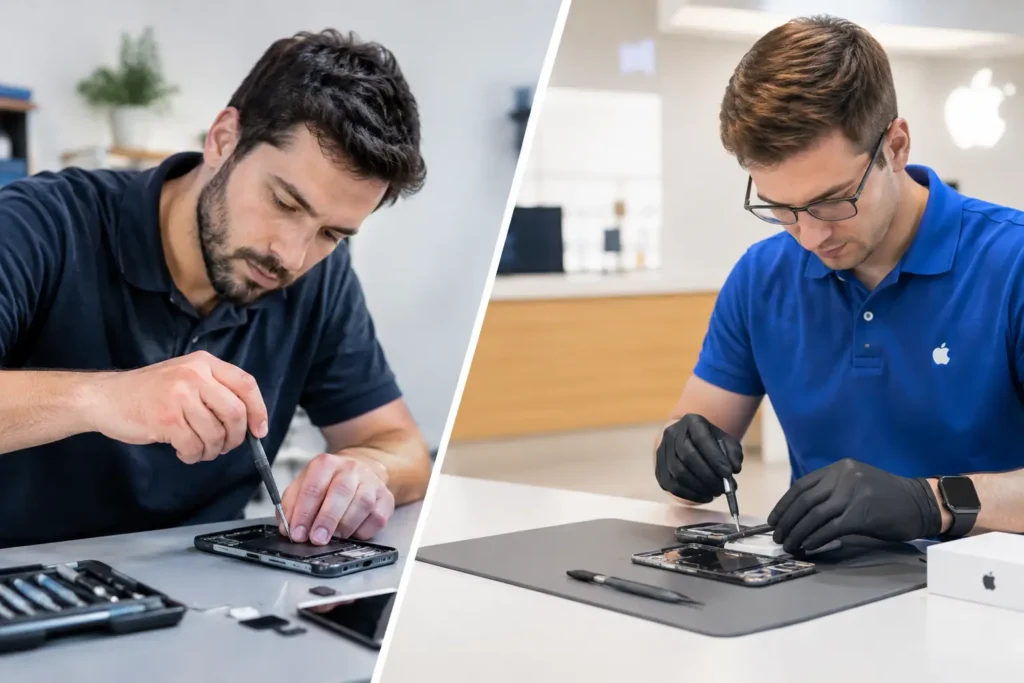
A good repair begins with inspection, not guesswork. The technician checks the condition of the screen, casing, hinges and surrounding components, then confirms the exact MacBook model. This prevents the wrong part being ordered and helps uncover any secondary damage caused by the original impact.
Once the repair route is agreed, the damaged display or assembly is removed carefully. The replacement is fitted, connections are secured and the device is tested for image quality, brightness, webcam operation, lid movement, charging and general stability. A final visual check matters too. Your MacBook should not only turn on – it should look and feel right in everyday use.
Turnaround depends on the model, availability of the correct part and whether additional faults are found. Be cautious of anyone who guarantees a same-day repair before seeing the laptop. Fast service is valuable, but accurate diagnosis and quality control are what stop a minor accident becoming a repeat repair.
Can you use an external monitor instead?
You can sometimes continue using an M1 MacBook with an external monitor, keyboard and mouse if the internal screen is damaged. This can be useful for recovering files or keeping work moving temporarily. It is not always a long-term answer.
A MacBook with a broken display is harder to transport safely, less convenient for study or travel, and may deteriorate if the damaged lid is moved repeatedly. External display use can also be awkward if you need to enter passwords, adjust settings or work away from a desk. It is a practical stopgap, not necessarily a replacement for a proper repair.
Choosing a local MacBook repair specialist
The best repair choice is not always the lowest quote. Look for clear communication, model-specific diagnosis, a realistic timescale and a repair guarantee. You should be told what is wrong, what is being replaced and whether any further damage has been found before work goes ahead.
Local support also makes a real difference when you rely on your laptop every day. Rather than packaging it up and waiting for it to be sent away, you can speak to a technician, ask questions and collect it once checks are complete. TechLab Repairs provides that practical, local approach for MacBook owners who need their device back in dependable working order.
A cracked screen does not have to stop your work
If your M1 MacBook still has plenty of life left, a damaged screen is usually a repair decision, not a reason to write off the whole device. Get the fault assessed early, back up what you can, and choose repair work that protects both the laptop and the information you keep on it. A clear diagnosis now can get you back to work, study or your next Lake District trip with far less disruption.