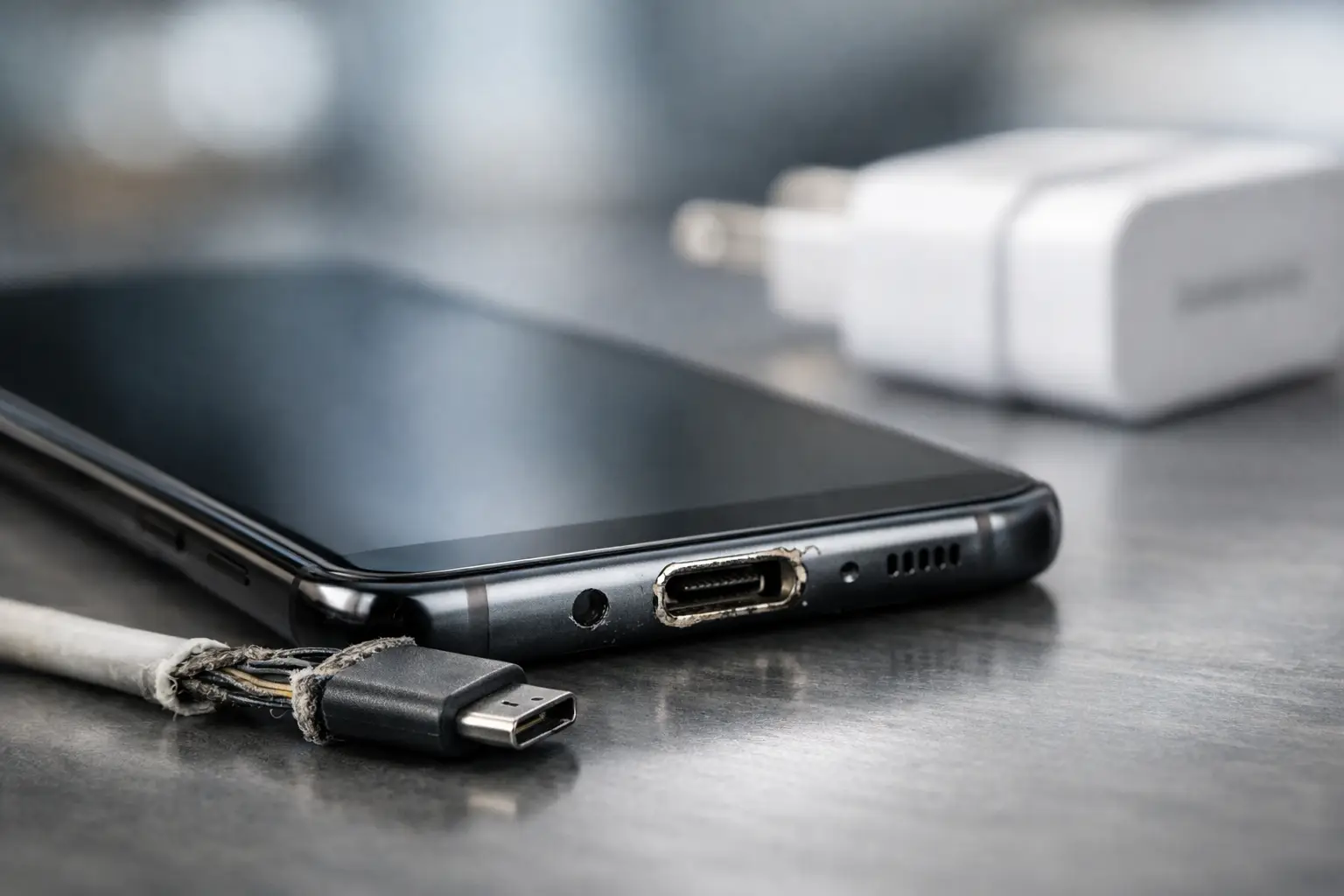
Your Samsung says it is charging, then stops. You wiggle the cable, hold it at an angle, try a different plug socket, and still get nowhere. Samsung charging port issues often start like that – small, annoying faults that quickly turn into a phone you cannot rely on.
For most people, the charging port only gets attention when it fails. But it is one of the hardest-working parts of the handset. It deals with daily wear, pocket fluff, rushed cable inserts, moisture, and the occasional knock when the phone lands while plugged in. When charging becomes intermittent, very slow, or stops completely, the cause is not always as simple as a broken port. That is why getting the diagnosis right matters.
What usually causes Samsung charging port issues?
In our experience, the most common cause is debris packed into the USB-C port. A surprising amount of dust and lint builds up over time, especially if you keep your phone in a pocket or bag. When that compacted debris stops the charging cable sitting fully in the port, the connection becomes loose and unreliable.
The second common issue is wear and tear. Charging ports are not indestructible. Repeated plugging and unplugging, using cheap or poorly fitting cables, or pulling the lead out at an angle can gradually damage the internal pins. Once those pins are bent, worn, or partially detached, charging can cut in and out.
Moisture is another frequent factor with Samsung phones. Many models have moisture detection features, which is helpful, but it can also leave users stuck if water or condensation has reached the port. Even after the phone looks dry, residue or corrosion inside the port can still interfere with charging.
Then there is accidental damage. If the phone has had a drop while the cable was connected, the port can loosen from the internal board or the surrounding frame can shift just enough to affect the fit. In some cases, what looks like a charging port fault is actually a battery problem, a software glitch, or a fault on the charging circuit inside the handset.
Signs the port is the problem
Not every charging fault points directly to the port, but there are some clues. If the cable feels loose, slips out too easily, or only works in one position, the port is a likely suspect. The same applies if you need to push the connector in firmly to get any response.
Slow charging can also suggest a port problem, although it depends. A weak plug, damaged cable, or battery health issue can produce similar symptoms. If wireless charging still works but cable charging does not, that often narrows things down to the port, the cable, or the charging circuit related to the wired connection.
You may also see moisture warnings that do not clear, even after the phone has been away from water for some time. That can mean the port needs more than a simple dry-out. Corrosion and contamination are common behind those persistent alerts.
Quick checks before you assume the worst
Before booking a repair, there are a few sensible checks worth doing. Start with the cable and charging plug. Swap both for known good alternatives, ideally official or high-quality replacements. Many charging complaints turn out to be accessory related rather than a handset fault.
Next, inspect the port carefully under good light. If you can see obvious fluff or compacted dirt, that may be the whole issue. Be cautious here. A charging port is delicate, and poking at it with metal tools can turn a clean-out job into a repair. If you are unsure, it is better to stop than cause extra damage.
Restarting the phone is worth trying too, particularly if charging stopped after a software update or system glitch. It is not the most common fix, but it does rule out temporary software oddities.
If there has been moisture exposure, disconnect the cable and let the phone dry naturally in a warm room. Avoid heat guns, radiators, or hairdryers. Too much heat can do more harm than the original moisture. Rice is not the answer either. It does not remove corrosion, and the dust it leaves behind is the last thing a charging port needs.
When DIY can make things worse
This is where a lot of people get caught out. Cleaning a port sounds simple, but we regularly see handsets damaged by needles, pins, paperclips, and aggressive scraping. The contacts inside a USB-C port are small and vulnerable. One wrong move can bend a pin or strip part of the connector housing.
The same goes for forcing in a cable that does not fit properly. If the port already has debris inside, pushing harder compacts it further and increases the chance of damage. Likewise, using bargain cables with poor tolerances can wear the port faster than you would expect.
If the phone has shown moisture warnings, continuing to plug it in repeatedly is also risky. If corrosion has started, powering through it can worsen the fault on the charging line. Sometimes the cheapest repair is the one dealt with early.
Why proper diagnosis matters
Samsung charging port issues are often straightforward, but not always. A port replacement may solve the problem, or it may not if the real fault sits elsewhere. On some models, the charging port is part of a smaller replaceable assembly. On others, the issue can involve flex cables, sub-boards, the battery, or the main board charging circuit.
That is why a proper inspection is important. A good repair technician should test with known good accessories, check current draw, inspect the port condition, and look for signs of liquid damage or board-level faults before replacing parts. That approach saves time, avoids unnecessary cost, and gives you a clearer idea of what the repair actually involves.
For business users, schools, and anyone with important data on the device, that diagnosis stage matters even more. You do not want a guess. You want to know whether the issue is limited to the port or points to a wider hardware problem.
Repair or replace?
In most cases, repair makes more sense than replacement. If the phone is otherwise working well and the issue is confined to the charging port assembly, fixing it is usually far more cost-effective than buying a new handset. That is especially true with higher-end Samsung models where replacement costs can be steep.
There are exceptions. If the phone has heavy liquid damage, a failing battery, screen damage, and charging faults all at once, the economics can change. The age of the device matters too. A repair on a fairly recent Samsung is usually easy to justify. On a much older model, it depends on the total condition and how long you plan to keep it.
What matters is honest advice. A trustworthy repair shop should tell you when a repair is sensible and when your money may be better spent elsewhere.
How to prevent future Samsung charging port issues
A little care goes a long way. Use a good-quality cable that fits properly and avoid yanking it out by the lead. Keep the port free from lint by storing your phone in a clean pocket or case rather than loose in the bottom of a bag. If the handset gets wet, do not rush to charge it just because the outside looks dry.
It also helps to avoid charging the phone while putting strain on the cable, such as using it heavily in bed or on the sofa with the lead bent sharply. That constant pressure weakens both the cable and the port over time.
Wireless charging can reduce wear if your Samsung supports it, but it is not a full substitute for looking after the wired port. You will still need it for some charging setups, data transfer, and diagnostics.
Getting it sorted quickly
When your phone will not charge reliably, the disruption is immediate. Messages get missed, work stops, maps disappear, and the battery anxiety starts creeping in. The good news is that many charging port faults are repairable, and often without the need for a full device replacement.
At TechLab Repairs, we see these faults regularly on Samsung handsets across different model generations. Sometimes it is a simple clean and test. Sometimes it is a replacement port. Sometimes the problem runs deeper. The important thing is getting a clear answer quickly, so you can decide what makes sense without wasting time or money.
If your Samsung only charges when the cable is held just right, do not wait for it to fail completely. The earlier a charging fault is checked, the better the chance of a straightforward fix – and the sooner your phone gets back to doing its job.