One of the most frustrating faults a gamer can face is a console that looks completely dead. No lights, no fan spin, no beep, nothing. A proper console no power repair example helps show what is really happening behind the casing, because “no power” is often not one single fault at all – it is a symptom with several possible causes.
If your PlayStation, Xbox or Nintendo console suddenly stops responding, the temptation is to assume the whole unit has failed. In reality, the problem could be as simple as a damaged mains lead or as technical as a failed power management circuit on the board. The difference matters, because one fix is quick and low-cost, while the other needs careful diagnosis and proper repair tools.
A real-world console no power repair example
Let’s take a common case. A customer brings in a games console that was working the night before, then refused to turn on the next day. There is no standby light, no startup sound and no sign of life when the power button is pressed. They have already tried a different wall socket and unplugged it for a few minutes, but nothing changes.
The first step is not opening the console straight away. It is checking the obvious external causes properly. We test the mains cable, confirm the socket is live, and inspect the power port for looseness, burning or physical damage. On some models, a failed cable or damaged power supply brick can mimic a serious internal fault, so it makes sense to rule those out first.
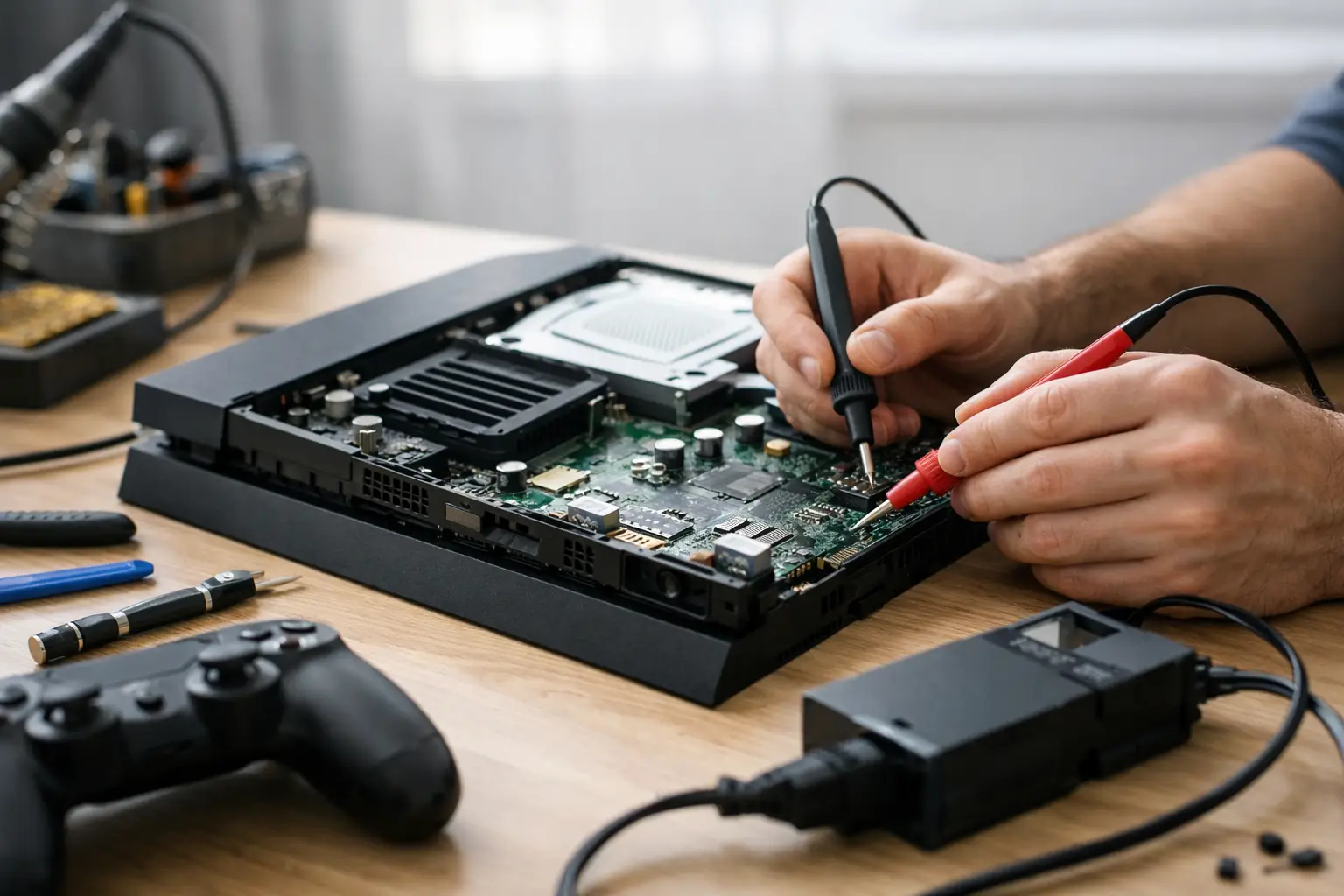
When those external checks pass, the next stage is internal diagnosis. Once opened safely, the console is inspected for dust build-up, liquid residue, burnt components, corrosion and impact damage. In this example, the board shows no obvious burning, but voltage testing reveals that incoming power reaches the power supply section and stops there. That points the repair in a more specific direction.
What usually causes a console to have no power?
A no power fault can start in several places. The most basic is the external power path – plug, cable, adapter or socket. After that, attention shifts to the internal power supply, the DC input stage, protective fuses, MOSFETs, standby voltage rails and power management chips. A fault in any of these can stop the console from waking up at all.
Heat and age are common factors. Consoles spend years in TV units, under shelves and near radiators where airflow is poor. Dust builds up, internal temperatures rise and components are stressed over time. Power-related parts are especially vulnerable because they handle repeated load changes every time the unit starts up, goes into standby or runs demanding games.
Liquid damage is another regular culprit. Even a small spill can creep into vents and sit unnoticed until corrosion starts. The console may keep working for a while, then fail later when corroded pads or components finally break the power path. That delayed effect is why no power faults sometimes seem to appear “out of nowhere”.
How the diagnosis is done
Good diagnosis is what separates a sensible repair from guesswork. Swapping random parts can waste money and time, and on board-level faults it often makes matters worse.
A technician will usually begin by checking whether the power supply is producing the correct voltage. If it is not, the fault may be isolated to that unit. If the power supply output is correct, the board itself needs testing. At that point, standby rails, fuses and short circuits are checked with proper equipment.
Short detection is particularly important in a console no power repair example because a shorted component can shut the whole system down instantly. In some cases, the power supply is working exactly as it should be – it is protecting the console by refusing to feed a faulty rail. That is why replacing the power supply alone does not always solve the issue.
There is also the question of whether the fault is economical to repair. A blown fuse caused by a brief surge may be straightforward. A failed power management IC can still be repairable, but it requires microsoldering skill and the right tools. If there is severe corrosion across multiple layers of the board, the repair becomes less predictable. Honest advice matters here.
Common fixes after a no power diagnosis
The repair depends entirely on what testing shows. Sometimes the fix is replacing a failed power supply board or DC input component. Sometimes it is repairing damage around the HDMI area if previous strain or impact has affected nearby circuitry. On other occasions, the issue is a shorted capacitor or a failed MOSFET in the main power line.
In the example above, testing identifies a shorted component in the standby power circuit. The faulty part is removed, surrounding components are checked, and the board is tested again before reassembly. Once stable standby voltage returns, the console powers on normally and passes a longer run test.
That final testing stage matters more than many people realise. A console that powers on for ten seconds is not a successful repair. It needs to start consistently, stay stable under load and show no further signs of overheating or voltage drop. Reliable repair is about fixing the fault, not just making the light come back on.
Why DIY no power repairs are risky
There is nothing wrong with basic user checks. Trying another cable, another socket or a safe power reset is sensible. But once the issue points to the board, DIY repair can quickly go wrong.
Modern consoles are compact, heat-sensitive and full of delicate connectors. Opening them without the correct tools can damage clips, ribbon cables or shielding. Board-level work is even more demanding. A cheap iron, too much heat or poor soldering technique can lift pads and turn a repairable fault into a non-repairable board.
There is also an electrical safety point. Power supply sections can retain charge, and not every fault is obvious by sight alone. If the console is genuinely dead, it needs measured testing rather than trial and error. For most customers, professional diagnosis is faster and far less stressful than replacing parts blindly.
When repair makes more sense than replacement
A no power fault sounds serious, but it does not always mean the end of the console. If the machine is otherwise in good condition, a targeted repair is often far more cost-effective than buying a replacement. That is especially true when storage, saved data or account setup on the original device still matters.
It also depends on model, age and fault depth. A current-generation console with a power rail issue is often well worth repairing. An older console with widespread corrosion and multiple previous repair attempts may be harder to justify. The right answer is not always “repair it” – it is “diagnose it properly, then decide with clear information”.
For local customers, convenience plays a part as well. Sending a console away can mean long waits, uncertain communication and extra worry about handling. A nearby repair specialist can usually inspect the unit, explain the fault clearly and give a realistic view of turnaround and cost. That sort of transparency takes a lot of the stress out of the process.
What to do if your console shows no signs of life
Start with the safe basics. Try a known working socket, check the fuse in the plug if applicable, inspect the mains lead, and disconnect any accessories. If the console uses an external power brick, look for signs of failure such as unusual heat, buzzing or no output light. If nothing changes, avoid repeated power attempts and do not keep plugging it in if you suspect a burning smell or liquid exposure.
At that point, the best move is a proper assessment. A good repair service will not just tell you the console is dead or quote for random parts. It will identify whether the fault is in the power supply, input stage, standby circuit or main board, then explain the realistic repair route. That is the approach we believe in at TechLab Repairs – clear diagnosis, sensible advice and repair options that make practical sense.
A dead console is bad enough without guesswork making it worse. If yours has gone completely silent, the smart next step is not panic – it is getting the fault checked properly so you know whether it needs a simple fix, a board-level repair or an honest call to replace it.