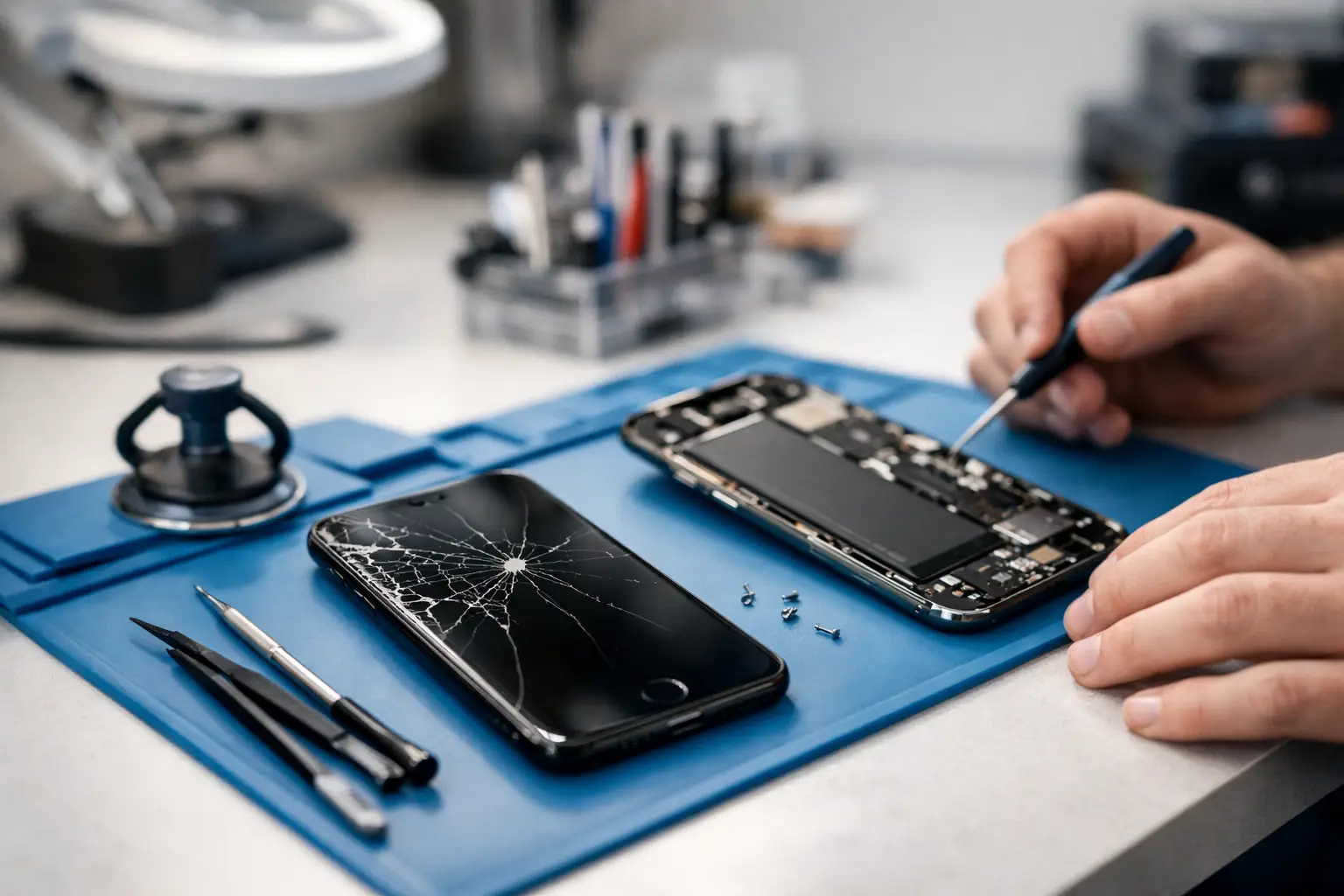
A cracked screen on Monday morning, a battery that gives up by lunch, or a charging port that only works if the cable is held at just the right angle – most people start looking into iPhone repairs when the phone stops fitting into normal life. The real question is not just can it be fixed, but whether it should be, how quickly it can be done, and who you trust to do it properly.
For most iPhone owners, repair is the sensible option far more often than replacement. A newer handset can cost hundreds of pounds, and even older models still have plenty of life left in them if the fault is handled properly. If the issue is limited to the screen, battery, charging port, camera, speaker, or another replaceable part, a repair usually restores the phone at a fraction of the cost of buying new.
When iPhone repairs make sense
The easiest cases are physical damage and wear-and-tear faults. A smashed display, weak battery, faulty charging connection, poor sound through the ear speaker, or an unresponsive button are all common problems with clear repair paths. These are the sorts of issues that can make a phone frustrating to use without meaning the whole device is finished.
Battery replacement is a good example. People often put up with poor battery life for months, assuming the phone is simply old. In reality, the rest of the handset may still be working perfectly well. If the device holds charge badly, shuts down at random, or becomes sluggish under load, a fresh battery can make it feel usable again. That is particularly true for students, busy parents, and anyone relying on their phone for work throughout the day.
Screen replacement is another straightforward decision in many cases. Even when the touch function still works, cracks can spread, glass can lift, and small damage can become a bigger problem. Leaving it too long can expose the display underneath and increase the chance of further damage from pressure, dirt, or moisture.
Charging faults are a little more nuanced. Sometimes the issue is a worn cable or compacted pocket fluff in the port rather than a failed component. Sometimes it is the dock connector itself. Sometimes it points to a wider power issue on the board. A proper diagnosis matters here because the cheapest fix is not always the right one, and the most obvious fault is not always the real one.
Common faults seen in iPhone repairs
Most iPhone problems fall into a handful of categories. Screen damage is still the one people recognise immediately, but batteries run it close. Beyond that, charging problems, camera faults, liquid damage, rear glass damage, speaker issues, and Face ID or button faults all come up regularly.
Liquid damage is where repair decisions become more case-by-case. A phone dropped in water may seem fine for a few hours, then develop charging faults, screen issues, or no power at all. The biggest mistake is assuming that because it switched back on, the problem has gone away. Corrosion can continue after the initial incident. In these cases, speed matters. The earlier the phone is assessed, the better the chance of stopping a smaller issue becoming a board-level repair.
Rear glass damage is also worth mentioning because it often gets ignored. Some people live with it because the screen side still works. The problem is that broken rear glass can affect wireless charging, make the phone uncomfortable to hold, and leave it more vulnerable to further damage. It is not always as urgent as a failed screen, but it should not be dismissed as cosmetic if the damage is severe.
Repair or replace? It depends on the model and fault
There is no one-size-fits-all answer. If you have a relatively recent iPhone with a cracked screen or tired battery, repair is usually the obvious choice. If you have an older model with multiple faults – perhaps a weak battery, damaged screen, and charging issue together – you need to weigh the total repair cost against the value of the device and how long you expect to keep it.
That does not mean older phones are never worth fixing. Plenty of customers want a reliable spare phone, a child’s first handset, or simply a device that handles calls, messages, banking, and maps without needing the latest features. In those cases, repairing an older iPhone can still be very good value.
For business users and schools, the calculation is often different again. Downtime matters. If a repair gets a working phone or managed device back into service quickly, that can be more valuable than chasing replacement stock, setting up a new device, and disrupting the user in the process.
What good iPhone repairs should include
A proper repair service is not just about swapping a part and handing the phone back. Diagnosis matters, especially when symptoms overlap. A phone that will not charge could have port damage, battery failure, board-level issues, or contamination. Replacing the wrong part wastes time and money.
Good repair work should also take data security seriously. Your phone holds photos, messages, accounts, work emails, saved cards, and personal history. Whether you are a parent, student, business owner, or school staff member, you need confidence that your device is being handled professionally. That means clear processes, careful handling, and no vague answers when you ask what will happen during the repair.
Turnaround time matters too. Most people cannot be without their handset for long. A local repair shop has a clear advantage here because you are not boxing the device up, posting it away, and waiting on third-party updates. If the fault is routine and parts are available, repairs can often be completed much faster than people expect.
Choosing a local repair shop
Not all repair services are equal, and cheapest is not always best. A very low quote can mean lower-quality parts, rushed workmanship, or poor fault diagnosis. That does not mean the most expensive option is automatically the right one either. What you want is clarity.
Ask what part is being replaced, whether the fault has been properly diagnosed, how long the repair is likely to take, and what happens if the issue turns out to be more complex. A trustworthy shop will talk plainly, set realistic expectations, and explain the trade-offs.
That local, practical approach matters in places such as Barrow-in-Furness and across Cumbria, where convenience and trust carry real weight. People do not want to send a phone away if they can avoid it. They want to speak to someone nearby, get a straight answer, and know where to return if they need support afterwards. That is exactly why TechLab Repairs focuses on fast, dependable service with secure device handling and clear communication from the start.
Before you book iPhone repairs
There are a few sensible steps to take before handing over your device. If the phone is still working well enough, back up your data. Remove any case or accessories that are not needed for testing. Make a note of the problem, including when it started and whether it is constant or intermittent. If the issue followed a drop, liquid exposure, or charging problem, mention that upfront.
If the phone has gone completely dead, avoid repeated charging attempts with random cables and plugs in the hope it will suddenly recover. That can muddy the diagnosis. If there has been water exposure, stop using it and get it checked as soon as possible.
It also helps to be honest about previous repairs. If a screen, battery, or charging port has been replaced before, say so. That information can make diagnosis quicker and more accurate.
The value of fixing it properly
A phone is not just another gadget. It is your camera, sat nav, wallet backup, diary, message centre, and connection to work, family, and school. When it stops working, the disruption is immediate. That is why sensible, well-handled repair matters.
The best outcome is not simply getting the device to power on again. It is getting it back in your hand working as it should, without unnecessary delays, vague pricing, or extra stress. If your iPhone has a fault, the smart next step is usually not to put up with it or rush into replacing it – it is to get a proper diagnosis and fix the problem before it gets worse.