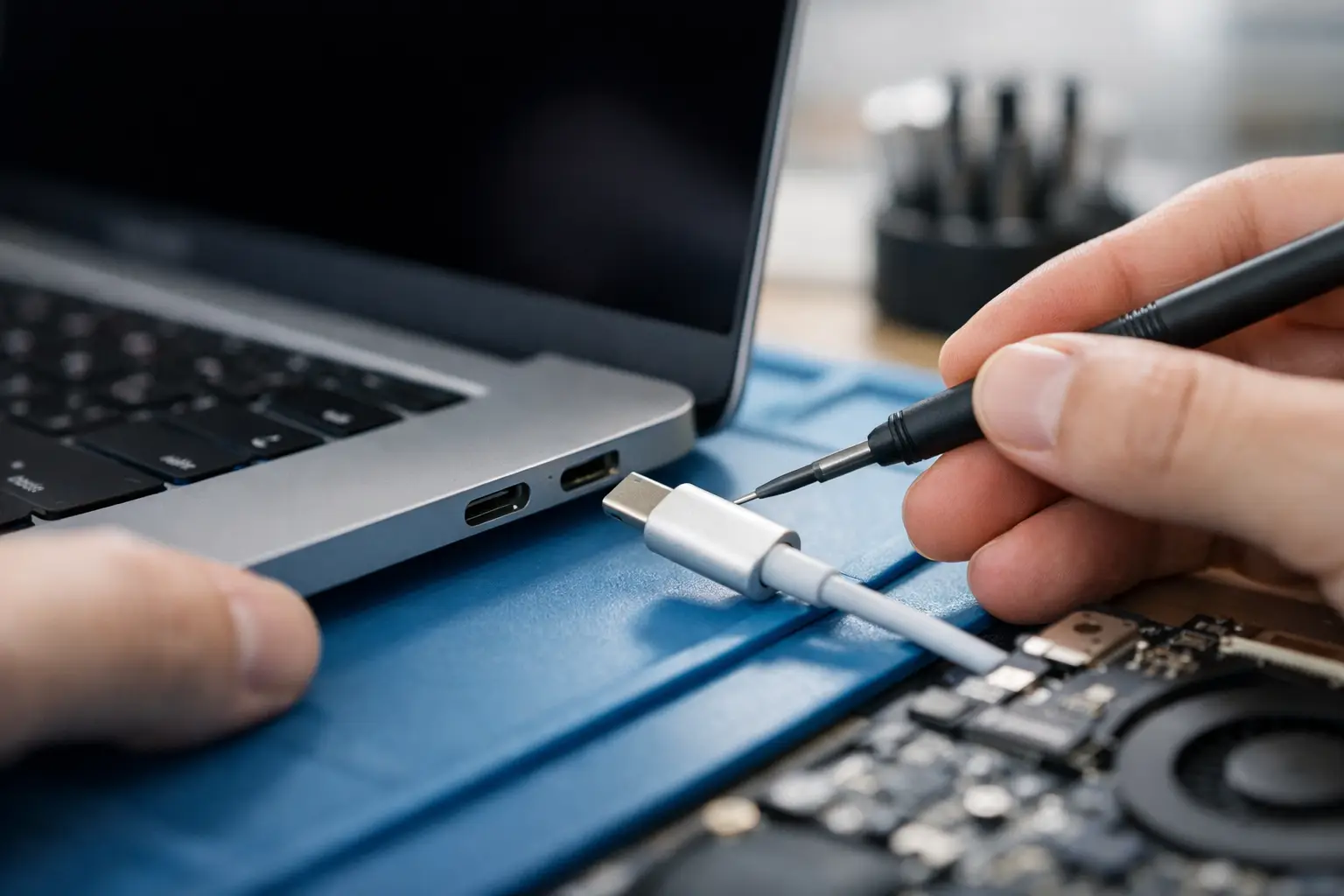
One day your MacBook charges perfectly. The next, the cable only works at a certain angle, charging cuts in and out, or nothing happens at all. If you are searching for macbook charging port repair (usb-c), you are usually already dealing with a laptop that is unreliable when you need it most – for work, study, school runs, admin, or simply keeping life organised.
USB-C charging faults on a MacBook can look simple from the outside, but they are not always caused by the port itself. A worn cable, debris inside the socket, liquid exposure, damage to the charging circuit, or a fault on the logic board can all create the same symptom: a MacBook that will not charge properly. That is why getting the right diagnosis matters. It saves time, avoids wasted money, and gives you a proper fix instead of guesswork.
What causes MacBook charging port repair (USB-C) issues?
On newer MacBooks, USB-C ports do more than charge the device. They also handle data, video output, accessories, and in some models power negotiation across multiple ports. That extra flexibility is useful, but it also means more points of failure.
The most common issue is physical wear. Repeated plugging and unplugging can loosen the internal connection over time, especially if the cable has been pulled sideways or used while under strain. You might notice the charger feels slack in the port, or the battery icon flickers between charging and not charging.
Dust and compacted fluff are another common culprit. It does not take much debris to stop the connector seating properly. In homes, offices, backpacks and classrooms, ports collect far more dirt than people realise. The result can look like a serious hardware failure when the real problem is simply blocked contact points.
Liquid damage is more serious. Even a small spill can corrode the port itself or nearby board components. Sometimes the MacBook still powers on, but charging becomes intermittent. In other cases, one USB-C port stops working while the others carry on. That kind of uneven behaviour usually points to a hardware fault rather than a charger problem.
Then there is board-level damage. If the charging IC, power rail, filter components or surrounding circuitry have failed, replacing the port alone will not solve it. This is where proper testing makes all the difference.
Signs you may need MacBook USB-C charging port repair
A faulty charging system does not always mean a dead laptop. In fact, many MacBooks give warning signs long before they stop charging completely.
If your battery only charges when the cable is held in a particular position, the port may be worn or damaged. If one side of the MacBook charges and the other does not, that can suggest a fault with a specific USB-C port or its associated circuitry. If the charger gets unusually hot, disconnects at random, or the battery percentage goes down even while plugged in, that points to a charging fault worth investigating quickly.
You may also notice slow charging, accessory issues, or connected displays dropping out. Because USB-C ports handle more than just power, faults often show up in several ways at once. A port that struggles to charge may also fail to detect a hub, monitor or storage device.
The key point is this: do not assume the battery is the problem just because the MacBook is not charging. The battery, cable, adapter, charging port and logic board all need to be considered together.
Repair or replace the MacBook?
For most people, replacing a MacBook because of a USB-C charging fault is the expensive option. If the rest of the laptop is in good condition, repair is usually the smarter move.
That said, it depends on the age of the device and the actual fault. If the issue is limited to debris in the port, minor port damage or a replaceable charging component, repair is normally very cost-effective. If there is extensive liquid damage across multiple areas of the board, the decision becomes more nuanced. You have to weigh the repair cost against the value of the machine, its condition, and how important your stored data is.
For business users and students, the real cost is often downtime rather than the hardware itself. Sending a device away and waiting can be more disruptive than people expect. A fast local diagnosis can be the difference between a manageable repair and losing several working days.
How a proper USB-C charging diagnosis should work
A good repair starts by ruling out the obvious without cutting corners. That means testing with known-good chargers and cables, inspecting the ports under magnification, and checking whether all ports behave the same way.
From there, the technician should assess whether the problem is mechanical, contamination-related, or electrical. A damaged port can sometimes be identified visually, but many charging faults require board-level testing to confirm where power is failing. This is particularly important on MacBooks where USB-C functionality is tied closely to the power management system.
If the port is physically damaged, a repair may involve replacing the USB-C connector or the port assembly, depending on the model. If the damage sits deeper on the board, micro-soldering work may be required. The best outcome comes from fixing the actual fault, not swapping parts until something works.
That is also why very cheap quotes can be misleading. They may only cover a surface-level attempt, not a complete diagnosis. A reliable repairer should explain what has failed, what needs replacing, and whether there are any risks linked to liquid damage or wider board issues.
Can you fix a MacBook charging port yourself?
Sometimes, but only within reason. If the problem is compacted dirt in the port, careful cleaning can help. The word careful matters. Using metal tools, forcing debris out, or spraying the wrong cleaning fluid into the port can make things worse very quickly.
Trying to replace a USB-C port at home is a different level of risk. Modern MacBooks are densely packed, delicate inside, and expensive to get wrong. A failed DIY attempt can turn a repairable port issue into lifted pads, board damage, or a machine that no longer powers on at all.
If your MacBook has had any liquid exposure, skip the home fixes and get it checked properly. Corrosion does not wait politely in the background. It spreads, and the longer it is left, the harder and more expensive it can become to repair.
What affects the cost of MacBook charging port repair?
There is no one-size-fits-all price because USB-C charging faults vary a lot. A simple clean-out and test is very different from replacing a damaged port, and both are very different from repairing logic board power components.
Model matters as well. Some MacBooks allow more straightforward access to charging-related parts, while others need more labour and more specialised board work. Liquid damage can also increase the cost because the visible issue is not always the only issue.
The better question is not just what the repair costs, but what you are getting for that cost. Clear diagnosis, honest advice, secure handling of your data, and repair work that actually resolves the fault are worth far more than a low headline figure that does not fix the problem.
Why local repair makes sense
When your MacBook stops charging, convenience matters. Being able to speak to a real technician, ask questions, and get a realistic turnaround beats posting your laptop away and hoping for the best.
For customers across Barrow-in-Furness, Cumbria and the Lake District, that local approach means less downtime and less uncertainty. It also means your device stays closer to home, which many people prefer when there is work, family photos, business data or coursework on the machine. TechLab Repairs sees this every day – customers are not just bringing in hardware, they are bringing in something they rely on.
A local specialist can also tell you when repair is not the right call. That honesty matters. Sometimes the best advice is to repair, sometimes it is to recover data and move on. A trustworthy repair service should be comfortable saying both.
When to get it checked
If your MacBook only charges intermittently, do not wait for a total failure. Charging faults usually get worse, not better. What starts as a loose connection can become a dead port, and what looks like a minor liquid issue can turn into broader corrosion.
Early diagnosis gives you more options. It can prevent extra damage, reduce repair time, and improve the chance of saving both the device and the data on it. Even if the fix turns out to be simple, getting certainty is worth it.
A MacBook that will not charge is frustrating, but it is not automatically the end of the device. In many cases, the right repair gets you back up and running without the cost of replacement – and without letting a broken port slow you down.