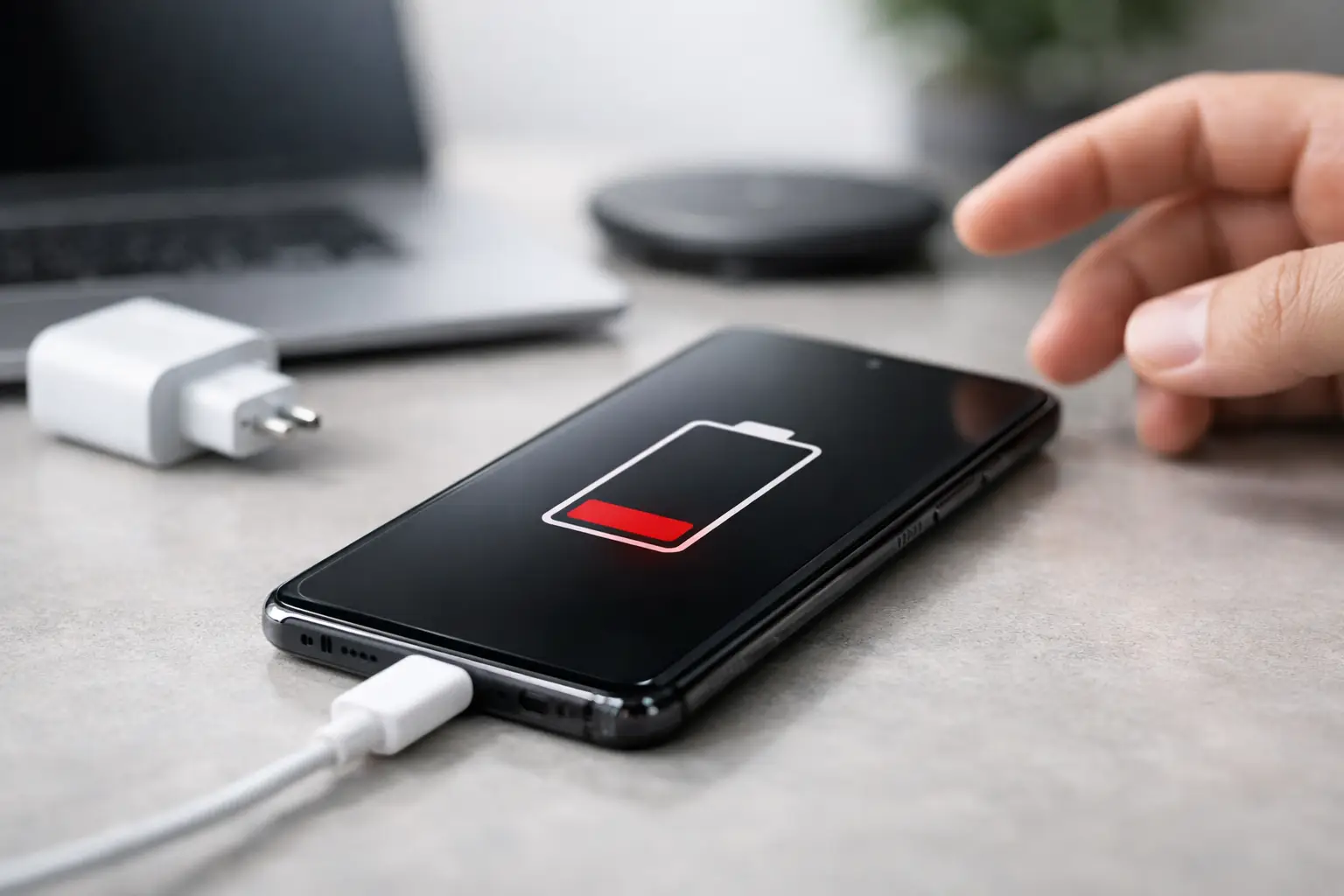
Your Samsung says it is charging, then stops. Or it only powers up if the cable is held at a strange angle. Sometimes it will not charge at all, even though you have tried three plugs, two leads and a fair bit of patience. If you are asking, can Samsung charging issues be fixed, the short answer is yes – but the right fix depends on what has actually failed.
Charging faults are one of the most common problems we see on Samsung phones, and they can range from something simple like fluff packed into the charging port to a more serious fault on the charging circuit or main board. The key is not guessing too quickly. Replacing the wrong part wastes time and money, while leaving a genuine fault too long can make matters worse.
Can Samsung charging issues be fixed if the fault seems random?
Often, yes. Intermittent charging usually points to a physical connection problem rather than a software one. If the cable only works in one position, the port may be worn, loose or blocked with compacted dust. If the phone charges on and off with different chargers, the issue may be the port itself, a failing battery or damage to the charging daughterboard on certain Samsung models.
Random charging behaviour can also happen after moisture exposure. A phone may still turn on and seem mostly normal, but corrosion inside the charging area can slowly interfere with proper power flow. That is why a charging issue that starts off as “a bit temperamental” should not be ignored.
The most common reasons a Samsung stops charging properly
The charging port is usually the first place to look. Samsung USB-C ports collect lint very easily, especially if the phone spends a lot of time in a pocket, work bag or car. Once debris builds up, the cable cannot sit fully in place, so the connection becomes weak and unreliable.
Cables and plugs are another obvious cause, but they are still worth mentioning because they are often overlooked. A bent connector, poor-quality charging lead or underpowered plug can mimic a phone fault. Wireless charging can help separate the issue – if wireless charging works but wired charging does not, that points more strongly towards the port or charging hardware.
Battery health matters too. A worn battery may charge very slowly, stop at a low percentage, drop power suddenly or make the device heat up during charging. On some Samsung models, the phone can appear to have a charging problem when the battery is really the part that has reached the end of its useful life.
Then there are software and power management faults. These are less common than physical faults, but they do happen. A recent update, an app conflict or corrupted system files can affect charging indicators, charging speed or power recognition. Usually, though, software issues do not cause the classic symptoms of a loose or completely dead port.
Finally, there is board-level damage. This is the more serious end of the scale. Drops, liquid exposure, cheap chargers or power surges can damage charging components on the board. In these cases, the port may look fine from the outside, but the phone still refuses to take power properly.
What you can check before booking a repair
Start with the basics, but do it carefully. Try a known good Samsung-compatible cable and plug, ideally one that works with another device. If your model supports wireless charging, test that as well. This helps narrow down whether the issue is limited to the charging port.
Next, inspect the port under a bright light. If you can see packed debris, do not go digging with anything metal. That can damage the internal pins very easily. A proper clean with the right tools can fix the problem, but rough DIY attempts often turn a clean-out job into a port replacement.
It is also worth restarting the phone and checking for moisture warnings or charging notifications. If the handset has recently been near water, in a steamy bathroom or out in heavy rain, the charging system may temporarily block power as a protection measure. Sometimes that clears once the device has fully dried, but sometimes the warning remains because moisture has already caused damage.
If the phone charges only when switched off, gets unusually hot, or loses battery faster than it gains charge, that usually points beyond a simple cable problem. At that stage, proper diagnosis makes more sense than trial and error.
When the fix is simple and when it is not
Some Samsung charging problems are straightforward. A blocked port can be cleaned. A damaged cable can be replaced. A worn battery can be swapped for a new one. These are usually cost-effective repairs and often much cheaper than replacing the phone.
The picture changes if the charging port has lifted from the board, the daughterboard has failed, or the main board has power damage. Those faults can still be fixed, but the repair becomes more technical. It may involve microsoldering, component-level work or replacing a sub-board assembly depending on the model.
This is where honest diagnosis matters. Not every phone with a charging problem needs a major repair, and not every “battery issue” is actually the battery. A good repair shop should tell you which camp your device falls into before any work goes ahead.
Can Samsung charging issues be fixed without losing data?
In many cases, yes. A charging port repair or battery replacement does not usually require your personal data to be erased. That is a major concern for customers, especially when the phone holds family photos, work emails, banking apps or school files.
That said, there is always some risk whenever a device has a deeper hardware fault. If the phone has liquid damage or a board-level issue, the priority is often restoring stable power first. Once the device is charging again, it may be possible to back up your data properly. If the handset is still turning on intermittently, getting it looked at sooner rather than later gives you a better chance of avoiding complete failure.
For business users and schools, this matters even more. A charging fault on a staff phone or shared device can quickly become an operational problem, not just an inconvenience. Fast diagnosis and secure handling are every bit as important as the repair itself.
Repair or replace?
This depends on the age of the phone, the cost of the repair and the extent of the damage. If the issue is a dirty port, worn USB-C connector or tired battery, repair is usually the sensible option. Samsung handsets are expensive to replace, and many charging faults are fixable for a fraction of the price of a new device.
If the phone has severe liquid damage, repeated board faults and a poor battery on top, replacement may make more financial sense. But people often assume the worst too early. A handset that will not charge today may only need a port repair rather than a full upgrade.
For newer Samsung models in particular, repair is often the better value choice. You keep the phone you know, avoid the hassle of setting up a new one and reduce unnecessary waste at the same time.
Why proper diagnosis saves money
Charging faults can look deceptively similar. A loose cable connection, a dead battery and a board fault may all present as “my phone is not charging”. Without testing, it is easy to misread the problem.
That is why we always favour diagnosis over guesswork. At TechLab Repairs, we see plenty of devices that have already had money spent on chargers, replacement batteries or improvised cleaning attempts that never addressed the real fault. A clear assessment at the start usually saves both cost and stress.
The advantage of using a local repair specialist is speed and accountability. You are not posting your phone away and hoping for the best. You can speak to someone directly, understand what has failed and get a realistic idea of whether the repair is worthwhile.
What to do if your Samsung has stopped charging
If your Samsung has become unreliable on charge, do not keep forcing the cable or leaving it plugged in overnight hoping it will sort itself out. Small charging faults tend to become bigger ones when the port is strained or the battery is repeatedly run flat.
Test the charger, stop using damaged accessories and get the device checked if the issue continues. The earlier the fault is identified, the more likely it is to be a straightforward repair rather than a more expensive one.
A Samsung charging issue does not automatically mean the phone is finished. Quite often, it means one part has failed and the rest of the handset is still perfectly worth saving. If your phone is important to your day, work or family life, getting the right answer quickly is far better than struggling on with a device that only charges when it feels like it.
A charging fault is frustrating, but it is usually fixable – and a proper repair can give your Samsung a lot more life without the cost of starting again.