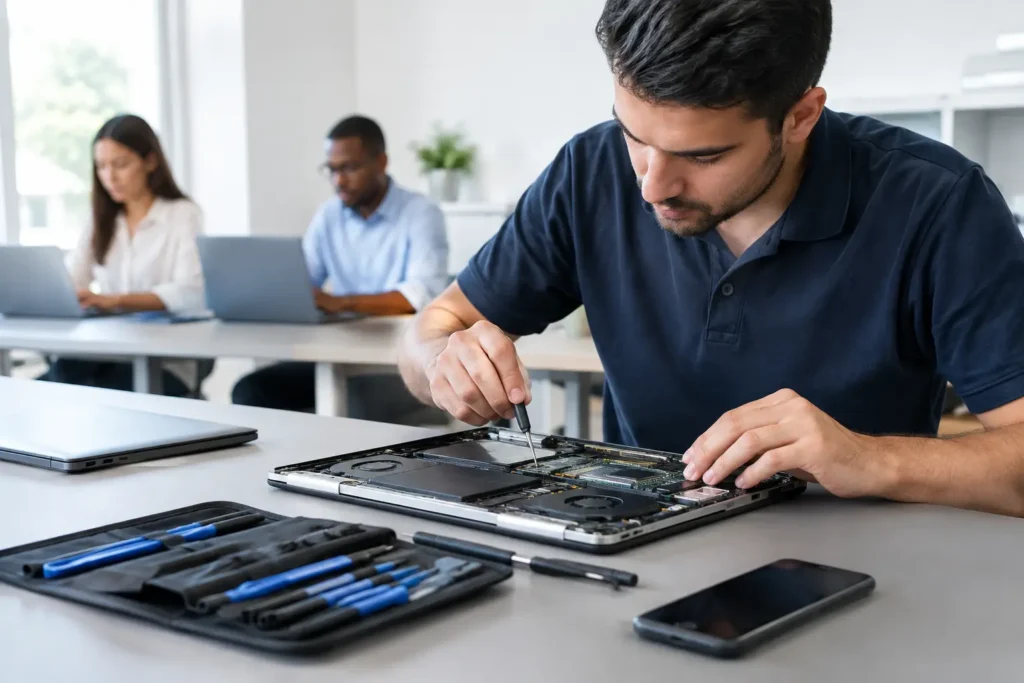
Your phone holds far more than contacts. It may contain family photos, banking apps, work emails, saved passwords and two-factor authentication codes. Your laptop can hold coursework, customer records, business documents and years of files. When it fails, choosing a data secure repair service matters just as much as getting the screen, battery or charging port fixed.
A cracked screen is frustrating. A repair that exposes personal information or leaves a device less secure is a much bigger problem. Whether you are bringing in an iPhone, Samsung handset, MacBook, Windows laptop, iPad, games console or desktop PC, you should know what happens to your device and its data from handover to collection.
What a data secure repair service should protect
Data security during a repair is not one single feature. It is a set of sensible working practices that reduces unnecessary access to your information and keeps your device physically accounted for while work is carried out.
For most hardware repairs, a technician does not need to read your messages, browse your photos or open your personal documents. They may need to test that a screen responds correctly, a battery charges, a camera works or a laptop starts as expected. That testing should be limited to the job at hand.
A trustworthy repair provider should also handle devices carefully when they are waiting to be diagnosed, repaired or collected. This is particularly relevant for business laptops, school tablets and devices containing commercially sensitive information. Security includes the practical basics: clear job tracking, controlled handling and a professional process rather than an unattended device passed between unknown people.
There is a balance to strike. Locking a device protects your privacy, but it can prevent a technician from properly testing some repairs. The right approach depends on the fault, the device and what needs to be checked after the repair. A good repair shop will explain this clearly instead of asking for more access than the work requires.
Before you hand over your phone or laptop
Taking a few minutes to prepare your device gives you more control and can make the repair process quicker. Start with a current backup if the device will switch on. Use your usual cloud backup, computer backup or business backup system, then check that the backup has completed successfully. Seeing the last backup date is better than assuming it happened.
Remove the SIM card from a phone if it is not needed for testing. This prevents calls and texts being received while the handset is away from you, although some network-related faults may require the SIM to remain in place. If you leave it in, make sure you understand why.
Where possible, sign out of banking apps, password managers and highly sensitive accounts. You do not need to erase a working phone before a straightforward screen replacement, and doing so can make testing more difficult. But if the device contains client information, medical records, payroll data or other confidential material, speak to the repairer first about the safest practical route.
For laptops, create a separate temporary user account if diagnostics require access beyond the lock screen. That account can have no personal files and a simple password that you change or remove when the job is complete. It is often a better option than giving out the password to your main account.
Turn off device-tracking or activation features only if the technician specifically needs this for the repair. Apple devices may need Find My switched off before certain work can be completed, while Android devices can have similar protection settings. Never share your Apple Account, Google account or email password. A professional should not need them.
When data access may genuinely be needed
Some faults are easy to test without unlocking a device. A screen replacement can often be checked through basic touch, display, camera, speaker and charging tests. A battery repair can be assessed through charging behaviour and device operation. A games console HDMI port repair can be verified with a test display.
Other jobs are less straightforward. A laptop that will not boot, a phone with liquid damage or a device with a suspected logic board fault may need more detailed diagnosis. If the problem only appears when using a particular application, account or file, limited access may help identify the cause.
This does not mean you should accept vague requests for your passcode. Ask what access is needed, what it will be used for and whether a temporary account or supervised test would work instead. For businesses and schools, it is sensible to agree the testing process before devices are dropped off, especially when several units are being repaired at once.
Repair work can carry a data risk – honesty matters
Most routine component repairs do not affect stored data. Replacing a screen, battery, charging port, keyboard, fan or HDMI port should normally leave your files in place. “Normally” is the key word. Electronics can fail unpredictably, especially after liquid damage, severe impact, corrosion or a fault on the main board.
A device may already be close to failing when it reaches the repair bench. It might restart repeatedly, lose power during testing or require replacement parts that reveal a deeper issue. In some cases, restoring the device, replacing storage or carrying out board-level work may be the only route to a working machine, and that can affect data.
That is why a data secure repair service should never promise that data is risk-free without seeing the device. The honest promise is to protect it from unnecessary exposure, take care during the repair and explain any situation where data recovery, a reset or replacement storage may be necessary.
If your data is irreplaceable, say so at the start. Family photos, dissertation files, sole-trader accounts and business records deserve a different conversation from a phone that has already been backed up. The repair priority may shift from fast turnaround to preserving the best possible chance of recovery.
Questions worth asking before booking
You do not need technical knowledge to judge whether a repair provider takes privacy seriously. Ask how devices are identified and stored while they are on site. Ask whether your passcode is required for the stated repair, and whether you can use a temporary account instead. Ask what testing will be carried out and what happens if the device needs a reset.
For a business or school, ask who is authorised to approve repairs and collect equipment. Keep a simple record of the device serial number, reported fault, accessories handed over and condition of the unit. This avoids confusion over chargers, cases or devices that look alike, and creates a clear handover trail.
Price matters too, but the cheapest repair is not always the best value if communication is poor or the work comes with no clear accountability. Look for a local specialist that can explain the fault in plain English, give realistic timescales and stand behind the workmanship.
Secure repair support for Cumbria devices
At TechLab Repairs, data-conscious handling is part of treating every device as if it matters – because it does. A student’s laptop before a deadline, a parent’s phone full of photos, a business computer needed for Monday morning and a school tablet used in class all carry information that should be respected.
The practical goal is simple: complete the required repair efficiently while requesting only the access needed to test it properly. If a screen, battery, charging port, power circuit, HDMI connection or liquid-damaged component needs attention, the repair process should be clear from the outset. If a fault creates a higher risk to stored data, you should hear that before major work begins.
Collecting your device safely
When you collect a repaired device, check the repair with the technician where possible. Test the functions linked to the original fault, such as charging, touch response, cameras, speakers, Wi-Fi, keyboard keys or video output. Then change any temporary password you created and sign back into services you intentionally signed out of.
If the device was unlocked for testing, change your main passcode as a sensible precaution. Review active sessions in key accounts if you are concerned, particularly email, banking and cloud storage. This is not an accusation against the repairer; it is a good habit whenever a personal device has been outside your control.
A broken device should not force you to choose between getting it fixed and protecting what is on it. Back up what you can, ask direct questions and choose a repair service that treats your privacy with the same care it gives the repair itself.