
Laptop Motherboard Repair Cost Estimate 2026 for UK Users
Motherboard repair cost in the UK depends on the fault, the laptop and the quote type. Compare repair with replacement and see what to ask for in writing.

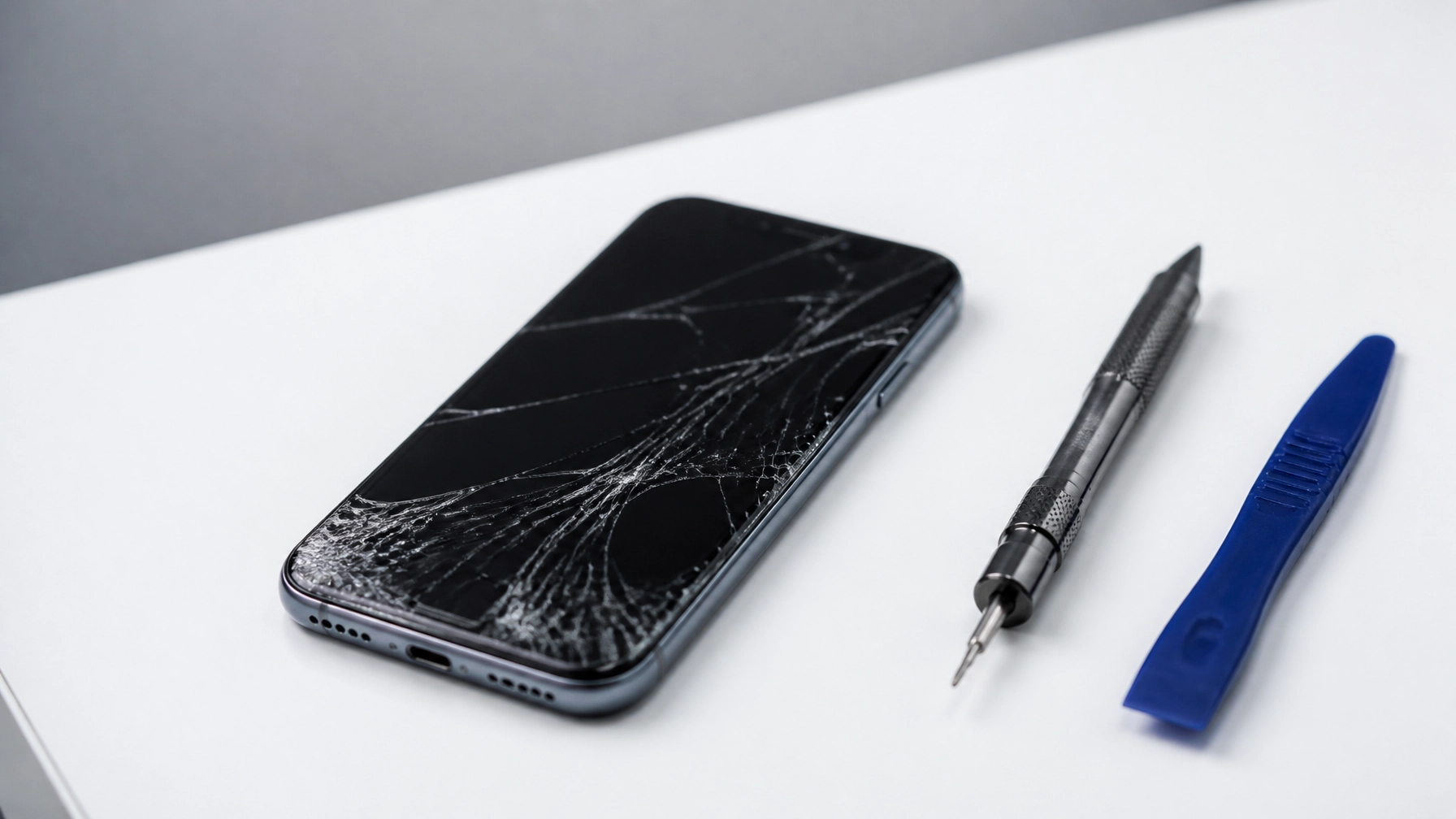
The Final Verdict: If you have a broken phone screen, the biggest mistake you can make is waiting. A small crack today often becomes a dead motherboard or a lost photo gallery tomorrow. The most cost-effective move is a professional "glass-only" repair or a high-quality screen replacement as soon as the damage happens. Avoid DIY kits and ultra-cheap shops: they usually end up costing you twice as much in the long run.
We’ve all been there. That heart-sinking moment when your phone slips from your hand and hits the pavement. You pick it up, see the spiderweb of cracks, and immediately start wondering how much this is going to hurt your wallet.
At Tech Lab Repairs, we see dozens of broken screens every week. Most people come to us after they’ve already tried a "quick fix" or ignored the problem for a month. We’re here to act as your trusted advisor, helping you navigate the world of electronics repair without the marketing fluff.
Here are the 7 most common mistakes we see people make with broken phone screen repair, and exactly how you should handle them instead.
It starts with a tiny hairline fracture in the corner. You can still see the screen, the touch works fine, so you decide to live with it.
Why it’s a problem: Your phone’s screen isn't just for looking at; it’s a structural seal. Even a tiny crack lets in humidity, pocket lint, and skin oils. Over time, these contaminants seep into the sensitive OLED or LCD layer underneath. What was a simple glass repair can quickly turn into a total display failure or, worse, a short-circuited motherboard.
The Fix: Tape it and book it. Put a piece of clear packing tape over the crack to prevent glass splinters and moisture ingress, then get a professional broken phone screen repair before the damage spreads.
You see a kit online for £15 that promises to fix your screen in "three easy steps." It looks simple enough on YouTube, right?
Why it’s a problem: Modern phones are held together by industrial-grade adhesives and microscopic screws of varying lengths. Without a heat gun, a steady hand, and ESD-safe (anti-static) tools, it’s incredibly easy to tear a delicate ribbon cable or puncture the battery. We often have customers bring in a "half-fixed" phone where they’ve accidentally destroyed the FaceID sensor or the home button: repairs that are much more expensive than the original screen crack.
The Fix: Unless you’re working on an old "burner" phone you don’t mind losing, leave the iPhone or iPad repairs to the pros who have the right specialized equipment.

When you search for "broken phone screen repair near me," you’ll see prices all over the map. It’s tempting to go with the guy in the back of a convenience store who quotes you half the price of everyone else.
Why it’s a problem: In the repair world, you get what you pay for. The cheapest shops use low-grade aftermarket screens. These parts often have "ghost touching" (the screen clicks things on its own), poor brightness, and washed-out colors. Even worse, they are often thinner and much more brittle than the original glass, meaning they’ll break again at the slightest bump.
The Fix: Ask about the part quality. At Tech Lab Repairs, we use premium, high-quality parts that match the original manufacturer’s specifications. We’d rather explain the price of quality once than apologize for a bad part forever.
Many people walk into a shop, hand over their phone, and assume their photos and contacts are safe.
Why it’s a problem: While a standard screen repair shouldn't touch your data, electronics are unpredictable. If the screen damage is severe, the phone might "ghost touch" your passcode enough times to permanently lock you out or wipe the device (if you have that setting turned on).
The Fix: If your screen still works enough to navigate, back it up to iCloud or Google Drive immediately. If it doesn't, tell your technician. We offer specialized data recovery services for devices that are too damaged for a standard screen swap.

Most big-name "authorized" centers will only replace the entire display assembly (the glass, the touch layer, and the screen itself) even if only the top glass is cracked.
Why it’s a problem: This is often an unnecessary expense. If your image is perfect and the touch still works, you can often save money by having the top glass refurbished. However, this requires specialized machinery that most local shops don't have.
The Fix: Ask your repair tech if they can do "glass-only" refurbishment. It keeps your original, high-quality LCD/OLED panel while saving you a significant amount of money. For example, for an iPhone 12 Pro Max rear glass replacement, using specialized lasers is far safer and cleaner than the old "hammer and chisel" method.
The internet is full of "hacks" to fix screen scratches with toothpaste or dry out a water-damaged screen with rice.
Why it’s a problem: Toothpaste is an abrasive; it won't fix a crack, it will just rub away the oleophobic (oil-resistant) coating on your screen, making it a smudge-filled mess. Rice, meanwhile, does almost nothing to pull moisture out of a sealed phone and often leaves behind dust and starch that corrodes the internals faster.
The Fix: Don't put food on your electronics. If your screen is broken or wet, the only real solution is opening the device, cleaning it with 99% isopropyl alcohol, and replacing the damaged components.

We see a lot of people walk in ready to spend £1,000 on a new phone because their screen is black or the touch isn't working.
Why it’s a problem: You might be ready to give up on a device that actually has years of life left in it. A phone that looks completely dead often just needs a 30-minute screen and battery swap to feel brand new again. In an era where new phones offer fewer and fewer "must-have" features, repairing what you already own is the smartest financial move.
The Fix: Get a professional diagnosis. We pride ourselves on our transparency: if we think a repair isn't worth the money (because the phone is too old or the motherboard is failing), we will tell you straight. Our goal is to keep you as a long-term customer, not to make a quick sale on a repair that won't last.
To be completely honest, sometimes it isn't. If your phone is more than 5 years old and the repair cost is more than 50% of the phone's current value, you might want to consider an upgrade. However, for most modern iPhones, Samsungs, and Pixels, a professional repair is a fraction of the cost of a new device and keeps a perfectly good piece of tech out of the landfill.
At Tech Lab Repairs, we focus on reliability and consistency. We know you rely on your phone for work, family, and daily life. That’s why we offer rapid turnaround times and a "no-nonsense" approach to fixing your gear.
If you're dealing with a broken screen and aren't sure what to do next, stop by or give us a call. We’ll take a look, give you a straight answer on whether it’s fixable, and get you back up and running with a screen that looks and feels like the day you bought it.

Motherboard repair cost in the UK depends on the fault, the laptop and the quote type. Compare repair with replacement and see what to ask for in writing.

Need fast laptop repair in Barrow-in-Furness? Learn how diagnostics, turnaround times and same-day fixes work, and how to check your repair progress.

Does screen repair affect warranty cover? Learn when a replacement voids cover, what UK consumer rights still protect, and how to choose a trusted repairer

Find out how a MacBook logic board repair works in Cumbria, from spotting the faults to treating liquid damage and recovering your data.

A console diagnostic in Barrow can pinpoint HDMI, overheating or power faults in minutes. Find out which fault fits your console.

Phone ghost touches can make your screen unusable. Learn the likely causes, safe checks and when a professional repair is the sensible next step today.

Is a refurbished laptop warranty reliable? Learn what cover you actually get, how long it lasts and how to check the terms before you buy with confidence.

Urgent smartphone repair in the Lake District can often be same day, so check these basics, back up your data and call ahead first.

Logic board repair matters because it fixes the root fault rather than symptoms. Learn the warning signs, repair options and what to ask a technician.
Console power faults can stop gaming without warning. Learn the common causes, safe checks and when a local repair can get your console running again.
