One minute your iPhone is ringing, playing voice notes and handling calls normally. The next, the sound is faint, distorted or gone altogether. If your iPhone speaker not working issue has appeared out of nowhere, the good news is that it is not always a major fault. Sometimes it is a setting, a bit of trapped debris or a software glitch. Other times, it points to a damaged speaker, liquid exposure or a deeper board-level problem.
The trick is knowing which is which before you waste time on guesswork. Here is how to narrow it down properly.
iPhone speaker not working – start with the obvious checks
It sounds basic, but the simple causes are often the ones people miss. Start by checking whether your iPhone is actually trying to send sound through the bottom speaker and not somewhere else.
If Bluetooth is on, your iPhone may still be connected to wireless earbuds, a car system or a smart speaker in another room. Turn Bluetooth off and test sound again with music, a ringtone and a video. Then check the volume buttons and make sure the phone is not stuck in a low-volume state for media or calls.
If you use a case, remove it. Some cases partly block the speaker grille or the earpiece area, especially if they have warped over time. Also inspect the speaker openings for fluff, dust or pocket debris. iPhones spend their lives in bags, coats and jeans, and the bottom grille can quietly clog up.
You should also test more than one app. If there is no sound in one app but everything else works, the issue may be with that app rather than the speaker itself.
Check whether the problem is the speaker, earpiece or microphone
A lot of people say the speaker is broken when the actual fault sits somewhere else. Your iPhone uses different audio components for different jobs, and that matters when it comes to diagnosis.
The bottom loudspeaker handles ringtones, speakerphone audio, alarms, videos and music. The earpiece at the top is what you hear during normal calls. The microphones affect call quality, voice notes and video recording. If music is silent but calls are fine on your ear, that suggests one type of fault. If speakerphone sounds normal but nobody can hear your voice, that points elsewhere.
A quick test helps. Play a video with sound, try a ringtone preview, make a call on speakerphone, and record a voice memo. If only one of those fails, the repair path becomes much clearer.
Software fixes worth trying first
When an iPhone speaker not working problem is caused by software, the symptoms can feel random. Sound might cut in and out, disappear after a call, or fail only in certain apps. Before assuming hardware damage, try a few clean software checks.
Restart the iPhone first. It is simple, but temporary audio faults do clear after a proper reboot. If that changes nothing, check whether iOS is due an update. Audio bugs do happen, particularly after app conflicts or partial software issues.
Next, look at the sound settings. Check that Do Not Disturb or a Focus mode is not muting alerts in a way that makes the phone seem faulty. Confirm that Change with Buttons is behaving as expected, and test the ringtone and alert slider in Settings.
You can also try turning off Bluetooth, disconnecting any wired accessories and making sure the iPhone is not stuck in headphone mode. Older devices were more prone to this, but accessories and charging port contamination can still confuse audio routing.
If the problem started straight after an update, app install or settings change, resetting all settings can sometimes clear a stubborn software conflict without deleting personal data. It is less disruptive than a full erase, though you will need to set up Wi-Fi, wallpaper and preferences again.
Clean the speaker carefully – but do not overdo it
If your iPhone sounds muffled rather than fully silent, dirt is a likely culprit. The speaker grille can collect enough compacted dust to reduce volume dramatically. This is especially common on devices used on work sites, in kitchens, in workshops or just in everyday pockets.
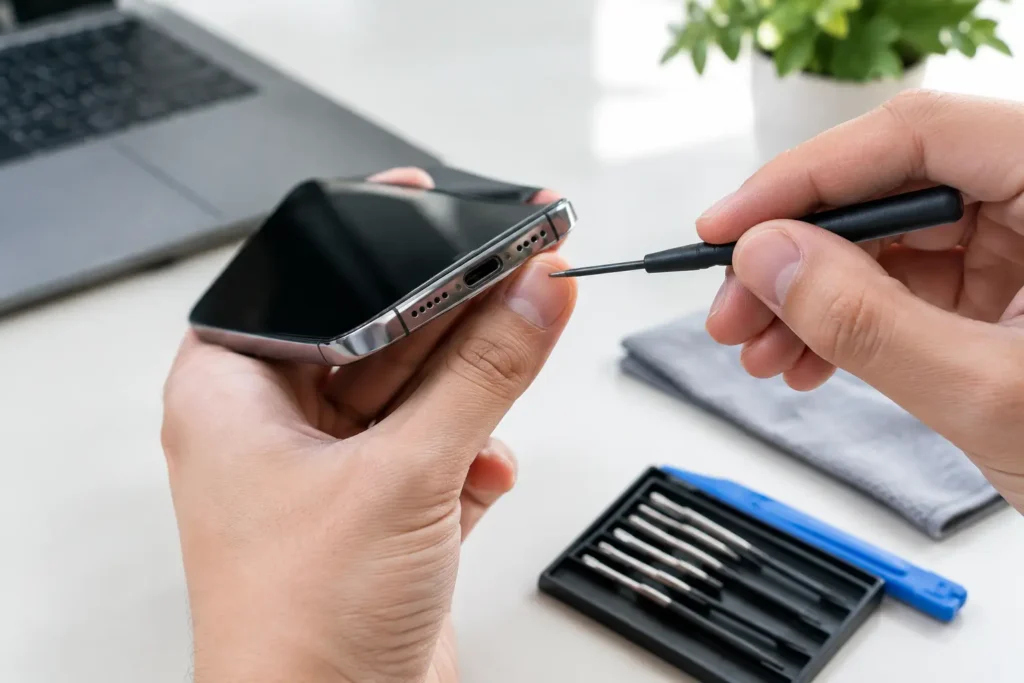
Use a soft, dry brush and work gently across the speaker area. A clean anti-static brush is ideal. Some people use a wooden toothpick very carefully around the outer edge, but it is easy to slip and cause damage, so a brush is the safer option.
Avoid anything wet, avoid aerosols and definitely avoid pushing metal tools into the grille. Compressed air sounds like a shortcut, but it can force debris deeper into the mesh or stress internal components. If the speaker is blocked heavily, professional cleaning is the safer bet.
Signs your iPhone speaker fault is hardware-related
There is a point where home troubleshooting stops being useful. If the sound is crackling, cutting out when the phone moves, or completely absent across all apps and functions, a physical fault becomes much more likely.
Drop damage is one of the most common causes. An iPhone can look fine on the outside while the speaker assembly, connector or internal solder joints have taken the hit. Liquid damage is another major one. Even where there is no obvious corrosion on the exterior, moisture can affect the speaker itself or nearby components on the logic board.
Battery swelling can also create odd secondary issues in some devices, including pressure on internal parts. Then there are charging port faults and board-level problems that interfere with audio routing. That is why the symptom matters as much as the model.
If the speaker sounds distorted at all volume levels, that often suggests the speaker unit itself is damaged. If there is no sound but headphones work perfectly, that may point to the loudspeaker circuit or its connection. If sound returns briefly when the phone is pressed, twisted or tapped, stop there – that can indicate an internal connection problem that will only get worse.
When FaceTime, calls and media all behave differently
Audio faults are not always consistent, and that can be frustrating. You might have no ringtone but videos play. Or voice notes work, but calls on loudspeaker do not. These mixed symptoms are where proper testing saves time.
For example, if the top earpiece is quiet during calls but the bottom speaker works for music, the issue may be the earpiece mesh, the earpiece speaker or a related front assembly fault. If loudspeaker calls fail and videos have no sound, that is more likely to involve the lower speaker or audio circuitry.
On some iPhone models, especially after impact or liquid exposure, the fault can sit deeper than the speaker module itself. Replacing the obvious part does not always solve it. That is why a reliable repair starts with diagnosis, not just swapping components and hoping for the best.
Should you keep using the phone if the speaker has failed?
It depends on the cause. If the issue is just debris or a minor software glitch, there is usually no wider risk. But if the speaker fault started after a drop, after moisture exposure or alongside charging issues, overheating or rapid battery drain, using the phone as normal can make things worse.
Liquid damage in particular is unpredictable. A phone might partly work for days, then fail more seriously once corrosion spreads. Likewise, if the device has taken an impact hard enough to affect audio, there may be hidden damage elsewhere.
If the phone is business-critical or holds important photos, messages or schoolwork, it makes sense to stop experimenting once the basic checks are done. A rushed fix can turn a repairable fault into data loss or a more expensive job.
What a proper repair should include
A good repair service will not just confirm that sound is missing. It should identify whether the problem lies with the loudspeaker, earpiece, charging port assembly, flex connections or logic board. That matters because audio faults can overlap, and the wrong repair wastes both time and money.
You should also expect clear advice on turnaround time, likely cost and whether the phone shows signs of liquid ingress or previous repair attempts. For local customers around Barrow-in-Furness and the wider Cumbria area, TechLab Repairs handles this sort of fault with straightforward diagnosis and repair options, so you are not left guessing whether the problem is simple or serious.
The best outcome is not always the cheapest part replacement. Sometimes a careful clean fixes it. Sometimes the speaker unit needs replacing. Sometimes the honest answer is that the real issue sits on the board and needs more specialist work. A trustworthy repairer will tell you which applies.
If your iPhone has gone quiet, do the sensible checks, avoid heavy-handed cleaning and pay attention to the pattern of the fault. Sound issues rarely fix themselves, but they are often very repairable when caught early. Don’t let a silent phone slow you down when the right diagnosis can get things sounding normal again.