A tablet that will not charge before a school deadline, a cracked screen after a fall, or a battery that dies halfway through the day can quickly become more than a minor annoyance. The right tablet repair can restore a device you already know and rely on, often for far less than the cost of replacing it. But not every fault calls for the same decision – sometimes a repair is the sensible route, and sometimes an upgrade makes better financial sense.
For households, students and businesses across Barrow-in-Furness, Cumbria and the Lake District, the key is getting a clear diagnosis before spending money. A professional repair should explain what has failed, what the work involves and whether the device is still worth keeping.
When Tablet Repair Is the Better Choice
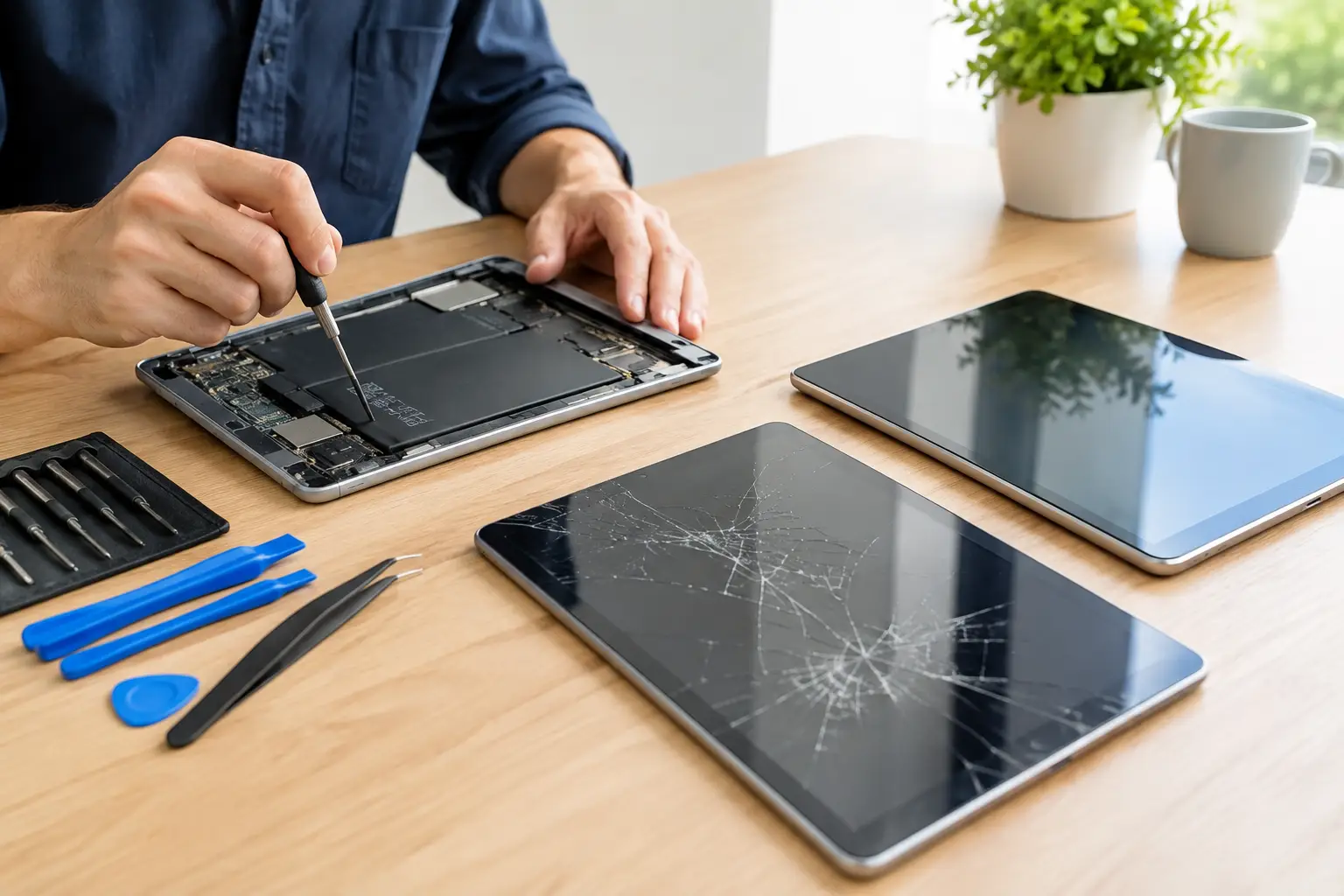
A cracked display is one of the clearest reasons to repair a tablet. Even when the device still switches on, damaged glass can worsen over time, affect touch response and leave sharp edges exposed. On many tablets, the display and touch layer are bonded together, so fitting a quality replacement screen is usually the proper fix rather than covering the damage with a screen protector and hoping for the best.
Battery problems are another common and worthwhile repair. Tablets tend to stay in homes, classrooms and workplaces for years, so their batteries go through plenty of charge cycles. If your tablet drops from 40 per cent to empty, becomes unusually warm, takes hours to charge or only works while connected to the mains, the battery may be worn out. A battery replacement can give an otherwise reliable device a useful second life.
Charging faults are often misdiagnosed as a dead battery. Dust and pocket debris can build up in a charging port, while a loose or damaged connector may stop the cable making a reliable connection. If you have tried a known-good cable and plug and the problem remains, avoid forcing the cable or repeatedly wiggling it in the port. That can turn a small repair into a more involved one.
Other repairs can be equally practical: faulty power buttons, damaged cameras, weak speakers, broken volume controls and software issues that prevent normal use. For a tablet that is only a few years old and still handles the apps you need, repairing a single fault is usually better value than starting again with a new device.
Tablet Repair After Liquid Damage
Spilled tea, rain, kitchen accidents and children’s drinks are all regular causes of tablet damage. Even devices described as water-resistant are not automatically safe after liquid exposure. Resistance can reduce risk, but it is not a guarantee, particularly if seals have aged or the tablet has previously been dropped.
Act quickly. Switch the tablet off if possible, disconnect it from power and remove any case or accessories. Do not charge it to see whether it still works, and do not use a hairdryer, radiator or rice. Heat can damage components and push moisture further into the device, while rice does not remove corrosion from the internal board.
Liquid damage is time-sensitive because residue can corrode connectors and components after the initial spill. A proper assessment involves opening the device, checking for contamination and dealing with the affected areas before a small issue becomes a complete failure. Data recovery may also be possible in some cases, but it depends on the extent and location of the damage.
Repair or Replace? Ask These Questions First
The age of a tablet matters, but it should not be the only factor. An older iPad, Samsung Galaxy Tab, Lenovo tablet or Amazon Fire tablet can still be ideal for streaming, video calls, homework, reading or point-of-sale use. What matters is whether it performs the jobs you need without constant frustration.
Start by considering the fault. A screen, battery or charging-port repair on a tablet that otherwise works well is often a straightforward decision. Multiple faults, severe frame damage or logic board issues need a more careful comparison between repair cost and replacement value.
Next, think about software support. If the tablet can no longer run essential apps, receives no security updates or struggles with basic tasks because its hardware is too old, a repair may only delay the inevitable. On the other hand, do not replace a device solely because it is not the latest model. A repaired tablet that remains secure and responsive can be the most affordable and sustainable option.
Finally, consider what is on it. Family photos, notes, schoolwork, business files and app logins can be more valuable than the tablet itself. If the device still powers on, back it up before it becomes unusable. If it does not, tell your repair technician that the data matters. This helps them choose the safest diagnostic approach from the start.
Protect Your Data Before a Repair
Handing over a tablet can feel uncomfortable when it contains your personal or business life. A trustworthy repair service should take data security seriously and only access what is necessary to test the repair.
If the tablet is working, create a current backup using your preferred cloud service or a computer. Check that photos, documents and messages have actually completed syncing rather than assuming they are protected. You should also remove payment cards from digital wallets where possible and make a note of your passcode if the technician will need it for post-repair testing.
Do not factory-reset a device with a charging, screen or power fault before speaking to the repairer if you need the data. Resetting may remove the very information you are trying to keep. For business-owned tablets, it is sensible to check device-management policies and make sure the right person has approved the repair.
What a Proper Diagnosis Should Cover
A quality repair begins with more than a quick look at the obvious damage. A cracked screen may hide frame damage; a charging complaint may involve the battery, cable, port or internal charging circuit. Accurate diagnosis prevents customers paying for the wrong repair.
You should expect a clear explanation of the issue, an estimate before work goes ahead and honest advice where repair is not economical. Parts quality also matters. The cheapest available screen is not always the best value if brightness, touch sensitivity or durability are compromised. Ask what part will be used and whether the repair is covered by a workmanship guarantee.
Turnaround time depends on the tablet model, the fault and parts availability. Common repairs can often be completed quickly, while board-level work and liquid-damage treatment may take longer because careful testing is required. Fast service is valuable, but rushing a diagnosis is not.
Keep a Repaired Tablet Working Longer
Once your tablet is back in use, a few habits can reduce the chances of another repair. Use a fitted case with raised edges and a screen protector, especially for children’s tablets or devices carried between school, work and home. Keep charging ports clear, use a decent-quality cable and avoid leaving the tablet under pillows, in hot cars or on a radiator while charging.
Battery care does not need to become a chore. Try not to regularly run the device completely flat, and do not worry about chasing a perfect charging percentage every day. The practical goal is avoiding excessive heat and replacing a worn battery before it begins to swell or causes unreliable shutdowns.
For local support, TechLab Repairs can assess a wide range of tablet faults with clear, practical advice. Cracked screens? No problem. A tablet that has stopped charging or taken a spill deserves a proper diagnosis before you write it off. Getting the right answer early can save money, protect your data and keep an essential device in your hands for longer.