A games console usually fails at the worst possible time: halfway through a new release, before a weekend with friends, or just when the children have settled on what they want to play. A blank screen, loose HDMI connection or console that will not power on can feel like the end of the machine. Often, it is not. Professional console repair can be a far more sensible option than replacing a device that may only need one component repaired.
For gamers across Barrow-in-Furness, Furness, Cumbria and the Lake District, the right decision comes down to the fault, the age of the console and the cost of putting it right. Here is how to recognise common problems, avoid making them worse and decide when repair is the better route.
The console faults worth repairing
Not every fault has the same cause. A console that does not display an image may have a damaged HDMI port, but it could also be a faulty cable, television input or internal board issue. A proper diagnosis matters because it stops you paying for a repair that does not address the actual problem.
HDMI port damage is one of the most common repairs on PlayStation and Xbox consoles. Repeatedly plugging in cables, moving the console while connected, or a knock to the lead can loosen or damage the port. Signs include a flickering display, a picture that only appears when the cable is held in a certain position, bent pins inside the port, or no signal at all despite the console powering up. This is usually a repairable fault, but it needs careful soldering rather than force or a quick fix at home.
Power faults are another frequent issue. If the console will not switch on, turns off shortly after starting, or shows no signs of life, the cause could range from a damaged power supply to a failed component on the board. Before assuming the worst, test a known-good power cable and wall socket. If the fault remains, avoid repeatedly trying to start it. That can put additional strain on already damaged components.
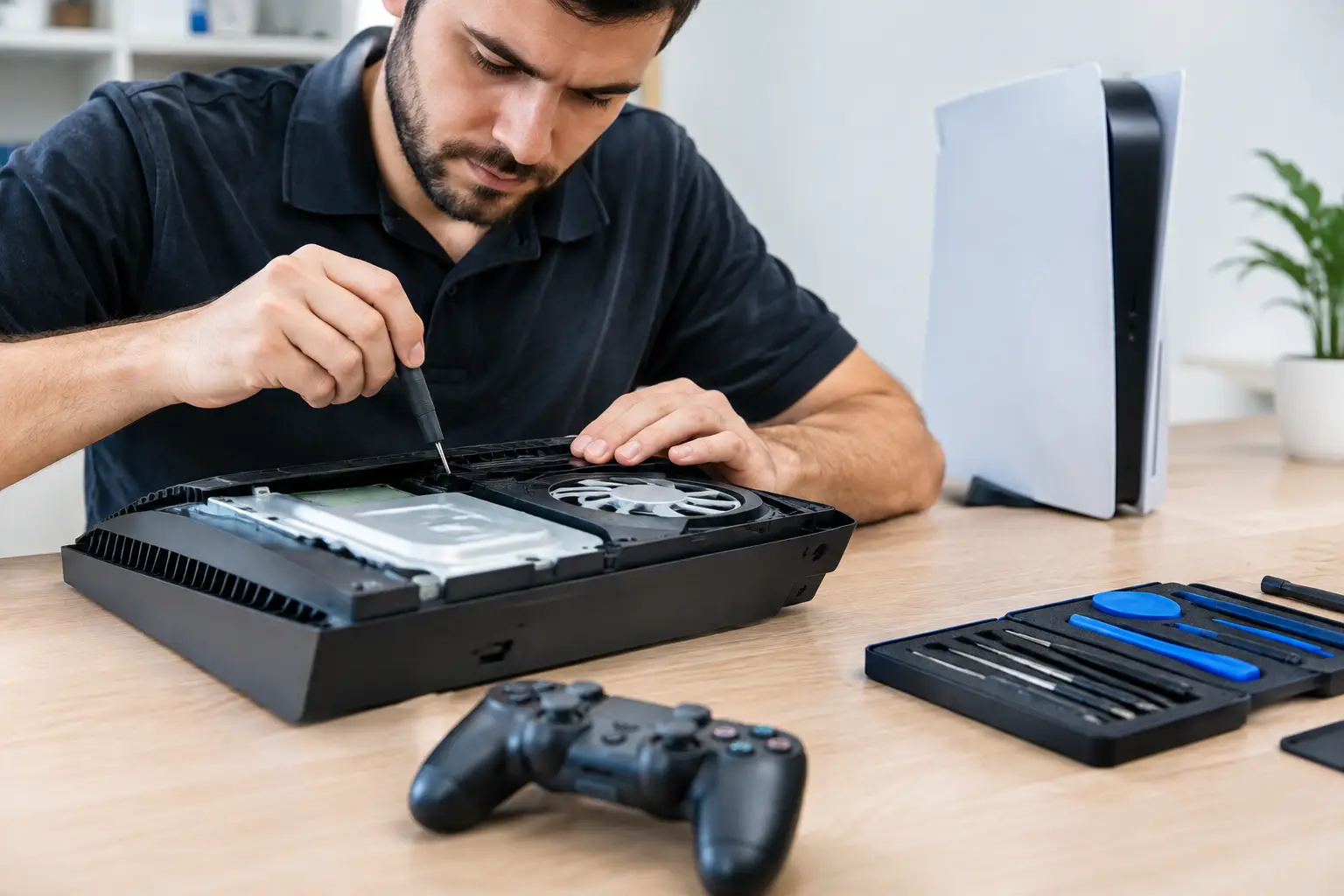
Overheating is often misunderstood. Fans naturally become more noticeable during demanding games, but loud fan noise followed by shutdowns, warning messages or excessive heat is not something to ignore. Dust buildup can restrict airflow, while dried thermal material or a failing fan can stop the cooling system doing its job. Cleaning the outside vents is sensible. Opening the console without the correct tools and experience is less sensible, especially where delicate connectors and warranty seals are involved.
Disc drive problems can also be repairable. A console that refuses to accept discs, makes grinding noises, or cannot read games may need a drive mechanism repair, laser-related work or diagnosis of a deeper board fault. Do not insert discs repeatedly or use cleaning discs as a cure-all. If the drive is struggling mechanically, continued use can make the damage worse.
When console repair is the sensible choice
Repair is normally worth considering when the console is otherwise in good working order and the fault is isolated. A damaged HDMI port on a current-generation console, for example, does not make the whole device obsolete. The same applies to many power, cooling and charging issues. Replacing a console can cost significantly more, and it may mean setting up a new system, downloading games again and recovering saved data.
The value of repair also depends on what is stored on the console. Digital game libraries, screenshots, game saves and accounts can represent years of use. Some data is backed up to cloud services, but not every player has automatic backups enabled or an active subscription. A repair that gets the original console running can be the easiest way to retain access to local data.
There are cases where replacement makes more sense. If an older console has multiple serious faults, extensive liquid damage or major board corrosion, the repair cost may approach the value of a replacement device. The honest answer is that it depends on the diagnosis. A reputable repairer should explain the likely work, costs and risks before proceeding, rather than treating every device as an automatic repair.
What to do before booking a console repair
A few checks can rule out simple external problems and help speed up diagnosis. Try another HDMI cable and another television input if there is no image. Check that the power cable is fully seated and test a different socket. For wireless controller issues, use a data-capable USB cable rather than assuming every charging lead will pair the controller.
If you can access the console settings, back up saves where possible before handing it in. Remove game discs and any external storage unless it is relevant to the fault. Make a note of the exact behaviour too: whether the console beeps, shows a light, makes a sound, shuts down after a certain time, or only fails with particular games. Those details can be genuinely useful during diagnosis.
Avoid online repair videos unless you are confident working with electronics. Console internals are compact, and a repair that looks straightforward on screen can require specialist heat control, microscope work and precise soldering. Stripped screws, torn ribbon cables and lifted board pads often turn a repairable issue into a more costly one.
Do not ignore liquid damage
Spilled drinks, damp storage and condensation can cause trouble long after the initial incident. If liquid has reached a console, switch it off, disconnect the power and do not attempt to charge or restart it. Leaving it for a few hours is not a reliable solution, as moisture and residue can remain inside and begin corroding components.
Fast assessment gives a liquid-damaged console its best chance. The goal is not simply to dry the device, but to inspect, clean and diagnose the affected areas before corrosion spreads. The outcome depends on the amount and type of liquid, how quickly power was removed and which components were reached.
Why professional diagnosis matters
Console faults can look identical from the outside. No signal might be an HDMI port, a damaged video circuit or a fault on the main board. A console that will not charge a controller could be the controller battery, cable, USB port or charging circuit. Guesswork leads to unnecessary parts and wasted money.
A specialist repair process starts with testing the console and its key connections, then identifying the failed part or circuit. For straightforward work, such as a connector or port replacement, repair can be relatively quick. Board-level faults and liquid damage can take longer because they require more detailed testing. Speed matters, but a rushed repair is not a good repair.
Data security matters as well. Consoles often contain account access, payment details, messages and personal media. Handing a device to a local, established repair business gives you the chance to discuss the fault directly and understand how your device will be handled. TechLab Repairs approaches every device with the same care, whether it belongs to a casual player, a busy household, school or business.
Preventing the next console fault
Most consoles do not need complicated maintenance, but they do benefit from sensible placement. Keep the device on a firm, open surface rather than inside a tight cabinet or on thick carpet. Leave room around the vents and keep drinks well away from it. When moving the console, unplug HDMI and power cables first instead of dragging it while connected.
Use a surge-protected extension where appropriate, particularly if power supplies in the property are unreliable. Keep software updated, but do not interrupt an update by switching off power unless the console has frozen and there is no alternative. For households with younger players, a stable shelf or unit can prevent the accidental knocks that damage ports and drives.
A broken console does not have to mean a replacement purchase or a lost library of games. Get the fault assessed early, describe exactly what happened and choose a repairer that is prepared to give a clear, practical answer. The right repair can put you back in the game without letting a single damaged part slow down the whole household.