Your Xbox should not sound like it is trying to start up, flash a light, then give up. If the console will not power on, keeps cutting out, or shows no sign of life at all, xbox power supply repair is often the first place to look. The tricky part is that a power fault does not always mean the power brick is the problem. Sometimes the issue sits inside the console, at the power socket, or even with overheating and damaged ports.
For most people, the real question is not just what has failed. It is whether the problem can be repaired safely, whether it is worth the cost, and how quickly you can get back to gaming without wasting money on the wrong fix.
When an Xbox power supply is actually the problem
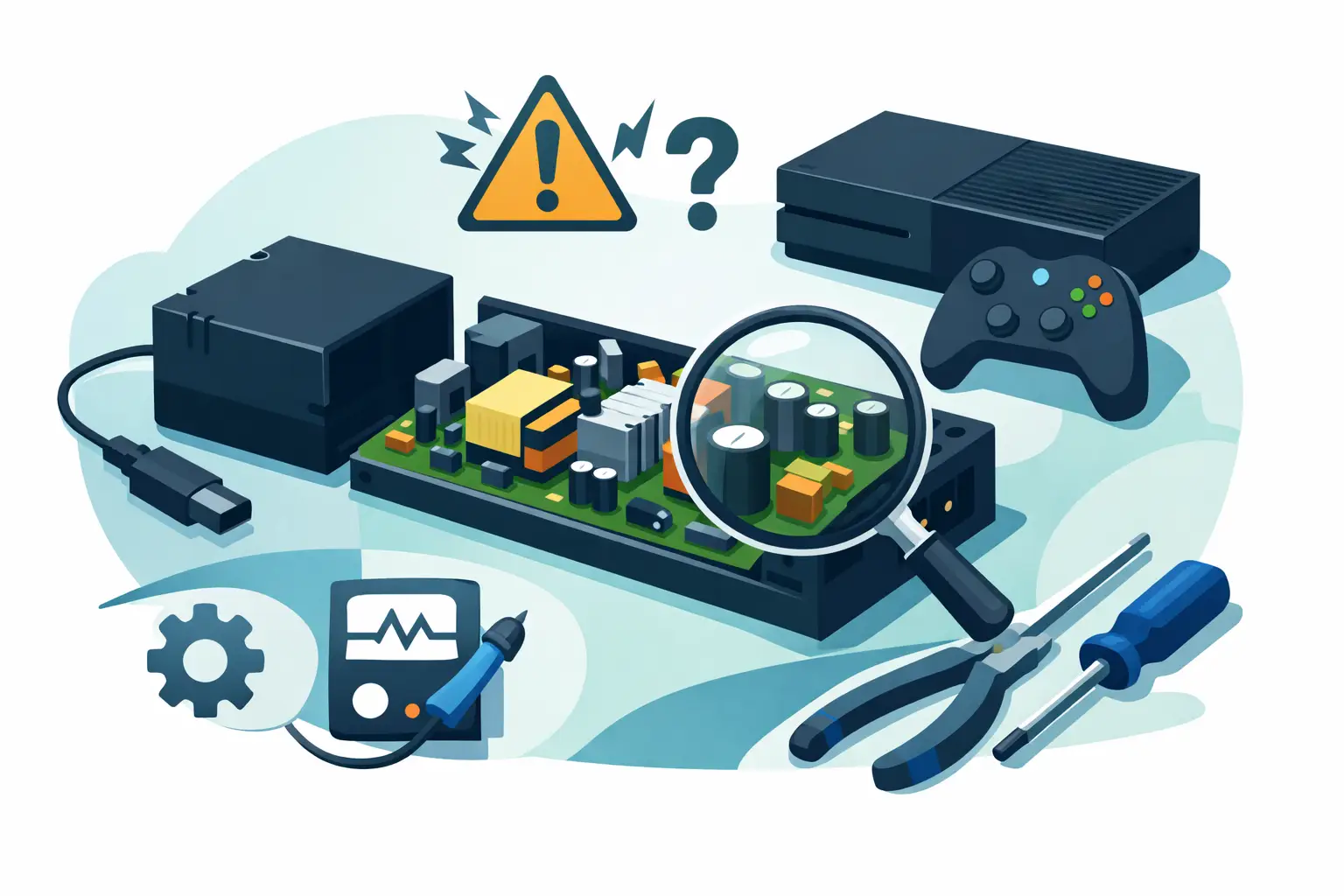
Power issues show up in a few common ways. The console may be completely dead, it may turn on for a second and switch straight back off, or it may power up but behave erratically under load. On older Xbox models with external power bricks, the LED on the power supply can tell you quite a bit. A normal light pattern suggests the brick is at least receiving and providing power. No light, the wrong colour, or a flickering light points more strongly towards a failed unit or a protection fault.
That said, symptoms overlap. A damaged HDMI port can cause confusion if the console is actually turning on but not showing a picture. A failing internal power circuit can mimic a bad external brick. Dust build-up and overheating can also force shutdowns that look like a supply fault at first glance.
This is why proper diagnosis matters. Replacing parts based on guesswork often costs more in the end.
Common causes behind xbox power supply repair
A power supply can fail for several reasons, and some are far more repairable than others. Power surges are a common culprit, especially if the console has been plugged into poor-quality extension leads or sockets with unstable power. Internal components such as capacitors, MOSFETs, fuses and regulators can degrade over time, particularly in older units that have had years of heavy use.
Heat is another major factor. If vents are blocked, fans are struggling, or the console sits in a cramped unit with little airflow, the power system works harder than it should. Repeated heat stress can damage solder joints and weaken components long before total failure happens.
Physical damage also plays a part. Bent power pins, loose sockets, damaged mains leads and strain on the cable can all interrupt power delivery. In homes with pets or children, cables can take more abuse than people realise.
Then there is liquid damage. Even a small spill near the console can corrode power circuitry over time. The console may seem fine initially, then develop intermittent faults weeks later.
Repair or replace – what makes sense?
This is where it depends on the Xbox model and the exact fault.
On older Xbox consoles with an external power brick, replacement is often straightforward if the brick is confirmed faulty. In some cases, replacing the whole unit is more economical than component-level repair, especially if the casing is sealed, the board is heavily heat-damaged, or the cost of labour would exceed the value of a good replacement unit.
Internal power supply faults are different. On Xbox models where power components are built into the console, repair may involve opening the unit, testing the input stage, checking for short circuits, and inspecting the board for burn marks, corrosion or failed components. That is not a beginner job. It requires the right tools and experience, because the power section can be dangerous to work on incorrectly.
The most cost-effective route is usually diagnosis first, then a repair-versus-replacement decision based on findings. A simple fuse or damaged socket is a very different situation from a board with widespread power rail damage.
Signs you should not try a DIY fix
There is a difference between basic checks and actual repair. It is sensible to test the wall socket, try a known-good mains lead if the model uses one, and inspect for obvious external damage. It is not sensible to open a power unit and start probing live circuitry without training.
You should avoid DIY repair if there is any sign of burning, a smell of hot electronics, visible liquid damage, repeated tripping of sockets, or power cycling that gets worse over time. These faults can involve shorted components, stored charge in capacitors, and risks to both the console and the person handling it.
Even seemingly minor mistakes can turn a repairable fault into a much bigger one. Lifted pads, damaged connectors and incorrect replacement parts are all common after failed home repairs. We see this across all sorts of devices – consoles included.
What a proper repair process should look like
A good xbox power supply repair service should start with testing, not assumptions. That means checking whether the console is receiving correct input voltage, whether standby power is present, and whether the fault lies in the supply, the motherboard, or another connected component.
From there, the repair process may include replacing a damaged DC input, repairing broken solder joints, replacing failed components on the power circuit, cleaning corrosion, and checking thermal performance if overheating contributed to the fault. Once repaired, the console should be retested under load rather than simply switched on for a few seconds and handed back.
That final testing matters more than most customers realise. A console that powers up on the bench but shuts down after twenty minutes is not properly fixed. Reliable repair means making sure it stays stable in real use.
Why power faults get misdiagnosed so often
Power problems are one of the most misunderstood console faults because the symptoms are broad. A dead console can come from the power supply, the southbridge, a failed MOSFET, a damaged power button board, a shorted USB port, or liquid damage elsewhere on the motherboard. The user sees one issue – it will not turn on. The technician has to work out why.
This is especially relevant when people have already bought a replacement power unit online and found it changed nothing. Cheap third-party accessories can muddy the water further, because they may be faulty themselves or fail to provide stable output.
Accurate diagnosis saves time, but it also protects your budget. There is little point paying for one part after another when the underlying fault has never been isolated.
Is it worth repairing an older Xbox?
In many cases, yes. If the console is otherwise in good condition, still used regularly, and the fault is localised to the power system, repair can be far cheaper than replacing the whole unit. That is particularly true if there is saved data, installed games, or sentimental value attached to the console.
But there are trade-offs. If an older console has multiple problems – perhaps overheating, noisy fans, storage issues and power faults together – the repair bill can rise quickly. At that point, honest advice matters. A trustworthy repair shop should tell you when a repair makes sense and when replacement is the better call.
For local customers in Barrow-in-Furness and across Cumbria, that is one of the biggest benefits of using a nearby specialist like TechLab Repairs. You can get a proper assessment, clear pricing and a realistic answer rather than boxing up your console and hoping for the best.
How to reduce the chance of future power supply problems
Once repaired, a few habits can help extend the life of your Xbox. Keep the console well ventilated and do not wedge it into a tightly enclosed unit. Clean dust from vents regularly. Use a decent surge-protected extension if needed, rather than overloaded multi-plug setups. Avoid yanking cables out at an angle, and keep drinks well away from the console area.
If your Xbox has already shown signs of intermittent power loss, do not keep forcing it on. Repeated attempts can worsen short circuits or stress failing components. It is better to stop using it and get it checked before the fault spreads.
Choosing the right repair service
Not every repair shop handles console power faults properly. Some only swap obvious parts. Others are strong on phones and laptops but less experienced with board-level console work. When choosing a service, look for clear communication, realistic turnaround times, and a repair process that includes diagnosis rather than guesswork.
You also want reassurance around data and device care. Even though consoles are not handled in the same way as phones or business laptops, customers still want confidence that their hardware is being treated properly and tested thoroughly.
If your Xbox is dead, cutting out, or showing strange power behaviour, the best next step is not another random cable from the internet. It is getting the fault identified properly so you can make a sensible repair decision with confidence.